Related posts sound like a small feature: a few links at the bottom of an article. However, in practice, getting them right touches SEO, site performance, privacy, design, and how much manual work you’re signing up for. Lets explore the whole thing in one place.
A reader who finishes an article and has nothing to click next just leaves. That’s a lost pageview, and on a site with ads or a newsletter, it’s also lost revenue too. Related posts exist to fix that one moment, the instant someone reaches the bottom of the page and decides whether to stay or go.
There are two separate cases for this, and they’re not the same claim. One is behavioral: relevant related content genuinely reduces how often people leave right after one page, and there’s real, sourced data behind that. The other is about search engines: related posts are also internal links, and internal linking has a real, if sometimes overstated, effect on how a search engine finds and understands your site.
Related posts matching
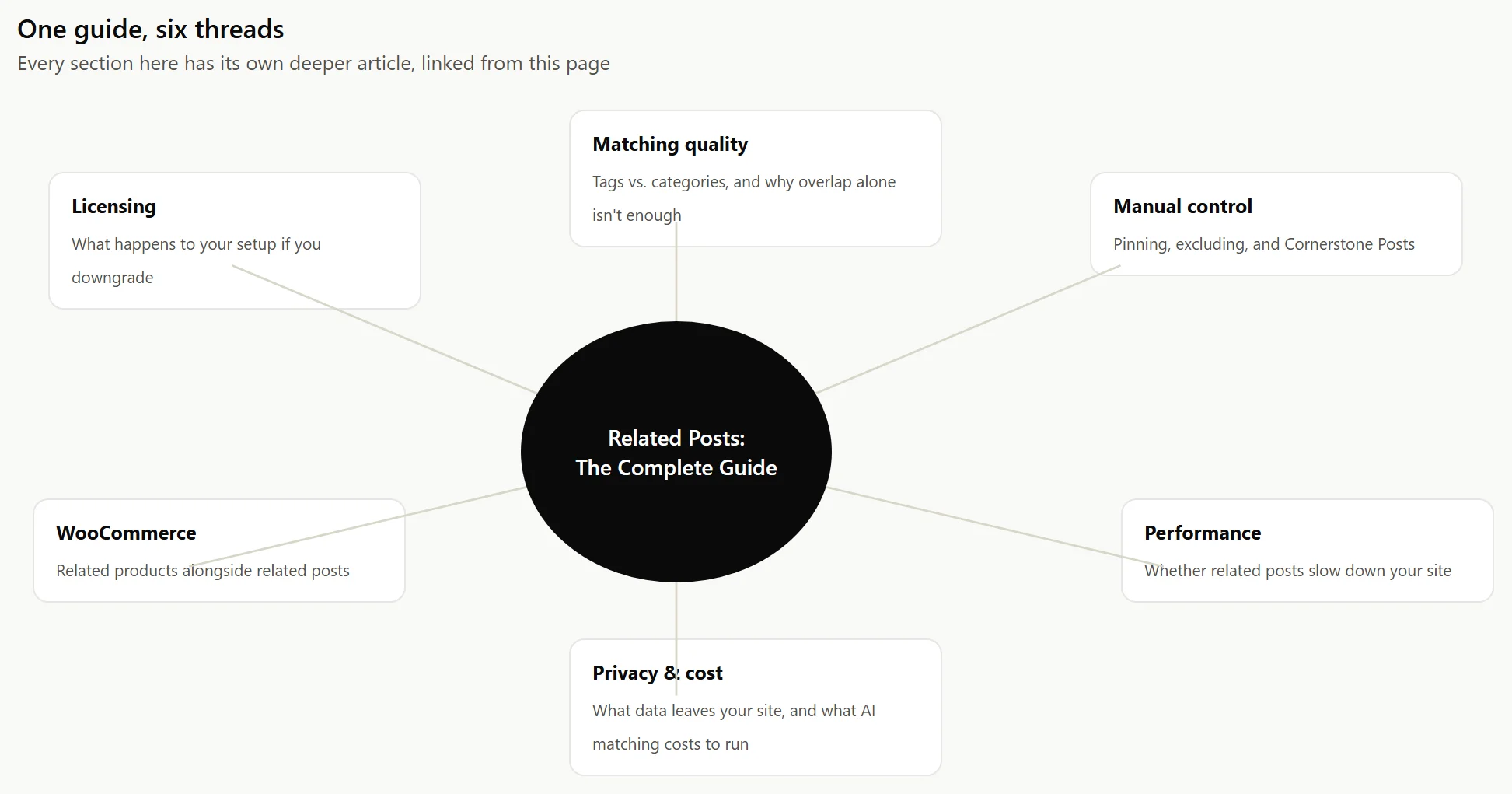
Most plugins match on shared tags, shared categories, or both, which is a simple overlap count: two posts that share more terms rank as more related. That’s not nothing, but it has a real ceiling. Two posts tagged “wordpress” and nothing else look exactly as related to that kind of matching as two posts that actually share five specific, on-topic tags, and tags and categories aren’t interchangeable either. A handful of specific tags does more work than a broad category ever can.
A smaller number of plugins add a second kind of matching on top: semantic, AI-based comparison that looks at what a post actually means, not just which words it uses. This catches genuine matches that share no keywords at all, and it’s rarer than the marketing around “AI-powered” plugins would suggest.
A post can pass every scoring rule and still be a bad recommendation. Matching answers “is this related?” It doesn’t answer “is this worth showing?” and those aren’t the same question.
A few things separate a related list that actually earns a click from one that just happens to satisfy the algorithm:
Diversity, not five versions of the same post. If your last ten articles are all about the same narrow subtopic, a pure overlap score can hand back five near-duplicates. A reader who just read one of those doesn’t need four more angles on the exact same thing. The strongest related lists mix a close match with one or two posts that are related but not redundant.
Freshness matters, but it isn’t everything. A three-year-old post about a feature that’s since changed is a worse recommendation than a topically weaker but current one, even if the old post scores higher on pure relevance. If your matching setup has no way to weigh recency at all, an old cornerstone post can end up permanently parked in every related list on the site, whether or not it’s still accurate.
The reason for the match should survive a skeptical look. “Shares a category” is a weak reason. “Shares five specific tags” or “covers the same underlying topic in different words” is a strong one. If you can’t explain in one sentence why two posts are related, a reader probably can’t tell either, and won’t click.
How many related posts
There’s no universal right number, but there’s a real tradeoff on both ends. Show one, and you’ve barely reduced the odds a reader leaves: if that single suggestion doesn’t land, there’s nothing else to try. Show twelve, and you’ve replaced a real decision with a wall of near-identical cards nobody reads closely, which is its own way of losing the click.
Three to five is the range most related-posts setups converge on, end of post, for a practical reason: it’s few enough that a reader can actually scan every option in a couple of seconds, and few enough that the page isn’t asking your database to compare and render a dozen thumbnails on every single load. If you’re placing related posts inline, mid-article, rather than at the end, fewer is usually better still. One or two well-chosen links dropped naturally into the reading flow beat a dense block of cards competing with the actual article.
Common mistakes with related posts setups
Most related-posts problems aren’t in the matching logic. They’re in details nobody checks after the initial setup.
The image is missing, and nobody notices. A related-post card with a broken thumbnail or a generic placeholder image on every single card looks unfinished, and it drags down click-through on cards that would otherwise perform fine. If your posts don’t reliably have a featured image set, either hide features images or fix that at the source or use a design that doesn’t depend on one.
Old, half-relevant posts keep winning the same slot. If one older post happens to share tags or categories with almost everything else on the site, it can end up as the top related result across dozens of unrelated articles. That’s usually a tagging problem, not a plugin problem, worth fixing by retagging the offending post more specifically rather than by tweaking scoring weights to work around it.
The heading promises something the list doesn’t deliver. A “Related posts” heading sitting over one weak match, or over nothing at all because the post has no tags, reads as broken even when the underlying code is working exactly as designed. Always handle the empty case, either by hiding the section entirely or falling back to something else, like recent posts.
Related posts placement
The two common placements, a block at the end of the article or cards woven into the body between paragraphs, aren’t just a style choice. They perform differently, and the right one depends on how long your content is and how people actually read it.
Related posts also aren’t limited to blog articles: if you run a WooCommerce store alongside a blog, the same matching logic can surface related products under a post, or related posts under a product page.
Automated matching gets a post to a reasonable default fast, but it isn’t always the final word. Most serious related-posts setups also let you manually pin a specific post as always-related, or exclude one that keeps showing up despite not actually fitting.
Where a related post shows up matters less than whether someone can actually use it once it’s there. A few things get overlooked often enough to be worth stating directly: every thumbnail needs real alt text, not a blank attribute or the filename; the related-posts heading should be a real heading element, not just bold text, so a screen reader announces it as a section rather than skipping straight to a list of links; and every card needs a large enough tap target on mobile, since a related-post title that’s one line of small text is a genuinely hard target to hit accurately with a thumb.
On a phone, a wide grid of cards usually doesn’t fit anyway. Stacking related posts into a single column at narrow widths, rather than shrinking a three-column grid down until the text is unreadable, is the difference between a feature that works on mobile and one that technically renders there.
Rerformance, privacy, DIY
“Does this slow my site down” is a fair question for anything that runs on every page. The honest answer depends entirely on when the matching work actually happens, not just whether it happens. If AI-powered matching is involved, there are two more questions worth asking before you turn it on: what it actually costs to run, and what data it sends where.
You don’t strictly need a plugin. A single function using WP_Query and shared tags or categories can show related posts with no install at all, and for a small site with consistent tagging, that’s genuinely enough. It also has real limits: no caching unless you build it, no admin screen, and it comes back empty for any post that doesn’t share a term with anything else.
If you decide a plugin is worth it, the real differences between them are matching quality, placement flexibility, and whether there’s a manual override when the algorithm gets it wrong. And if you’re already using a paid plugin and considering downgrading, it’s worth knowing in advance what actually happens to your settings and data, rather than finding out after the fact.
It’s easy to turn related posts on, glance at how they look, and never check again. Whether they’re actually doing their job is a separate question, and it’s answerable. In GA4, an engaged session already accounts for someone viewing two or more pages, so a real signal to watch is pages per session before and after you change how related posts are configured, not just overall traffic, which moves for a dozen unrelated reasons. If you want a more direct read, click tracking on the related-post links themselves (most plugins that support it use UTM parameters) tells you which specific placements and which specific posts are actually getting clicked, rather than sitting there unread.
The honest failure mode to watch for: a related-posts block that’s present on every page but getting an effectively flat click rate across the whole site. That usually means the matches themselves aren’t good, not that related posts as a concept don’t work, and it’s worth revisiting tagging or matching weights before concluding the feature isn’t worth the space it takes up.