A license lapsing is one of the more anxiety-inducing moments in running a WordPress site: a card expires, a renewal gets missed, or you decide to scale back for a while. What actually matters isn’t whether your related-posts setup looks different afterward, it’s whether you lose the work you put into it. Here’s exactly what happens to your data, your styling, and your manual overrides when a Pro or Pro+ license lapses on Ariadne.
Nothing gets deleted, ever
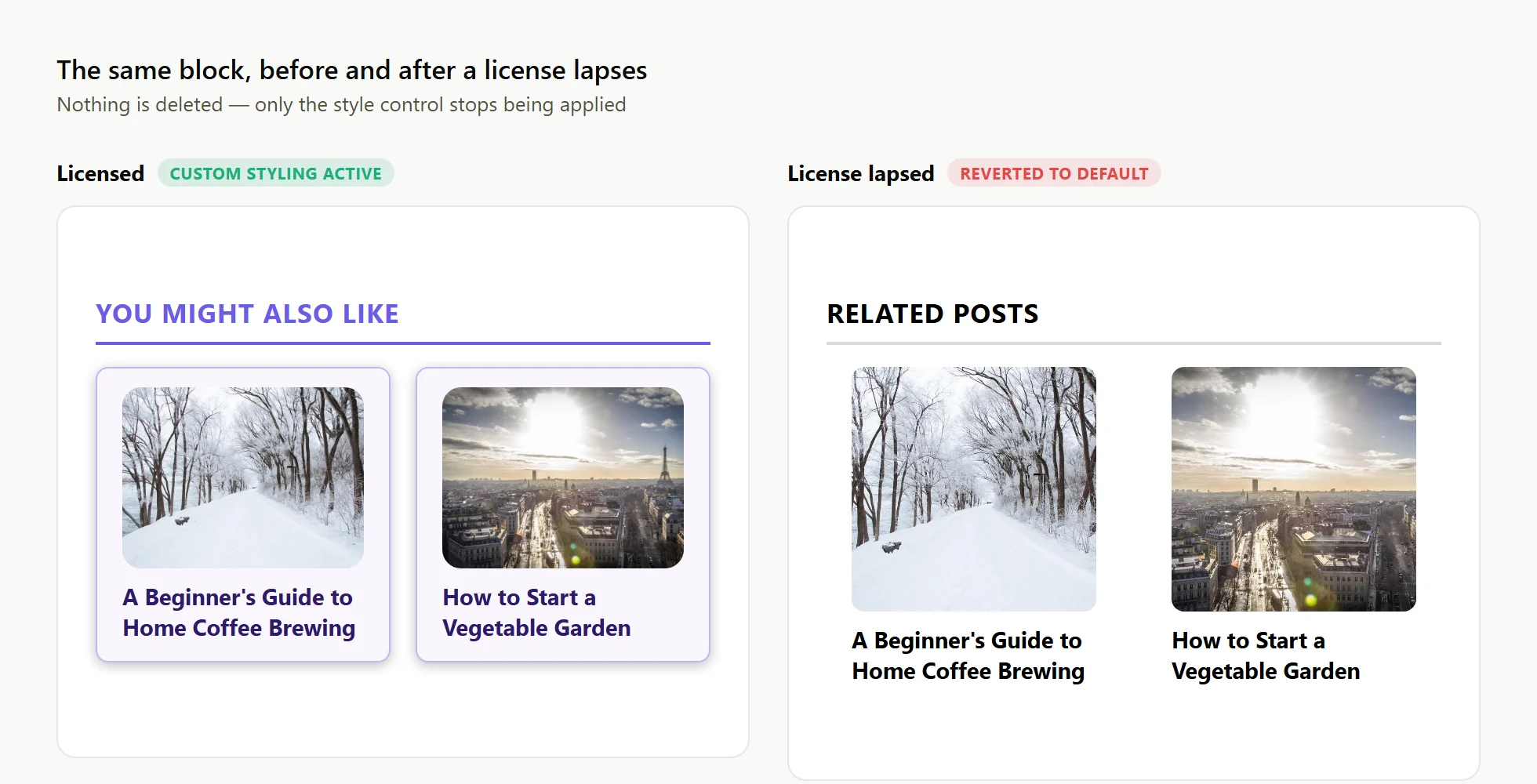
If a Pro or Pro+ license lapses or is removed, everything you’ve configured stays saved exactly as it is. Locked features simply stop being applied while the site is unlicensed. Your custom Customizer styling, your pinned and excluded posts, your Cornerstone flags: none of that data goes away. It just stops having an effect on the live site until you’re licensed again.
That distinction, between “stops applying” and “gets deleted,” is the whole story. A downgrade in Ariadne is a pause, not a reset.
What actually reverts, feature by feature
Once a license lapses, Pro and Pro+ features stop being honored one by one, each falling back to Free-tier behavior:
- Custom Customizer styling (layout, fonts, colors, borders, images) reverts to Ariadne’s clean default design.
- Manually pinned or excluded posts stop taking effect, so those slots go back to whatever the automatic scoring would have picked anyway.
- Cornerstone Post flags stop being honored, so a post that used to appear sitewide goes back to competing on its actual score like everything else.
- AI-powered semantic matching and inline mid-article boxes stop running, since both require an active license, dropping matching back to tag, title, category, and local text signals only.
Every one of those settings is still sitting in your database, untouched. The style fallback specifically is computed fresh from Ariadne’s own defaults whenever a style-control feature is locked, not from whatever you had saved, so a lapsed license reliably shows the clean default appearance rather than continuing to render old custom styling it no longer has permission to apply.
Re-licensing picks everything back up automatically
Reactivating a Pro or Pro+ license resumes everything immediately: saved styling, pins, exclusions, and Cornerstone flags all start working again with zero reconfiguration. You don’t re-enter your custom colors or re-pin the posts you’d pinned before. The settings were never gone, only dormant.
If you’re ever unsure whether a lapse already happened, the plugin’s own admin screens tell you directly rather than making you guess from the frontend: license status is visible right on the Settings screen, and any feature currently locked shows as locked there too, instead of silently doing something different than what you configured.
The one thing that never changes regardless of plan
How many related posts get shown isn’t a style property and isn’t gated by license at all. It always reflects your actual configured setting, on Free, Pro, or Pro+, with no downgrade behavior to worry about because there’s nothing to downgrade in the first place.
If you’re evaluating whether to try Pro or Pro+, this is worth knowing upfront: there’s no lock-in risk in the data sense. You can license, configure, and later let it lapse without worrying that you’re throwing away hours of Customizer work or a carefully curated set of pinned posts. See the full downgrade and licensing documentation for the reference version of all of this.