Site controls are rules for everyone on your site: dark mode by role, a default theme for new people, and admin pages where Mawu stays off. They are part of Mawu Pro.
Open them
Go to Mawu, then More settings → Site controls. The row shows a short summary, for example “No role rules, no screens skipped. New people start in Abyss.” Site administrators can change these settings. Click Save site controls when you’re done.
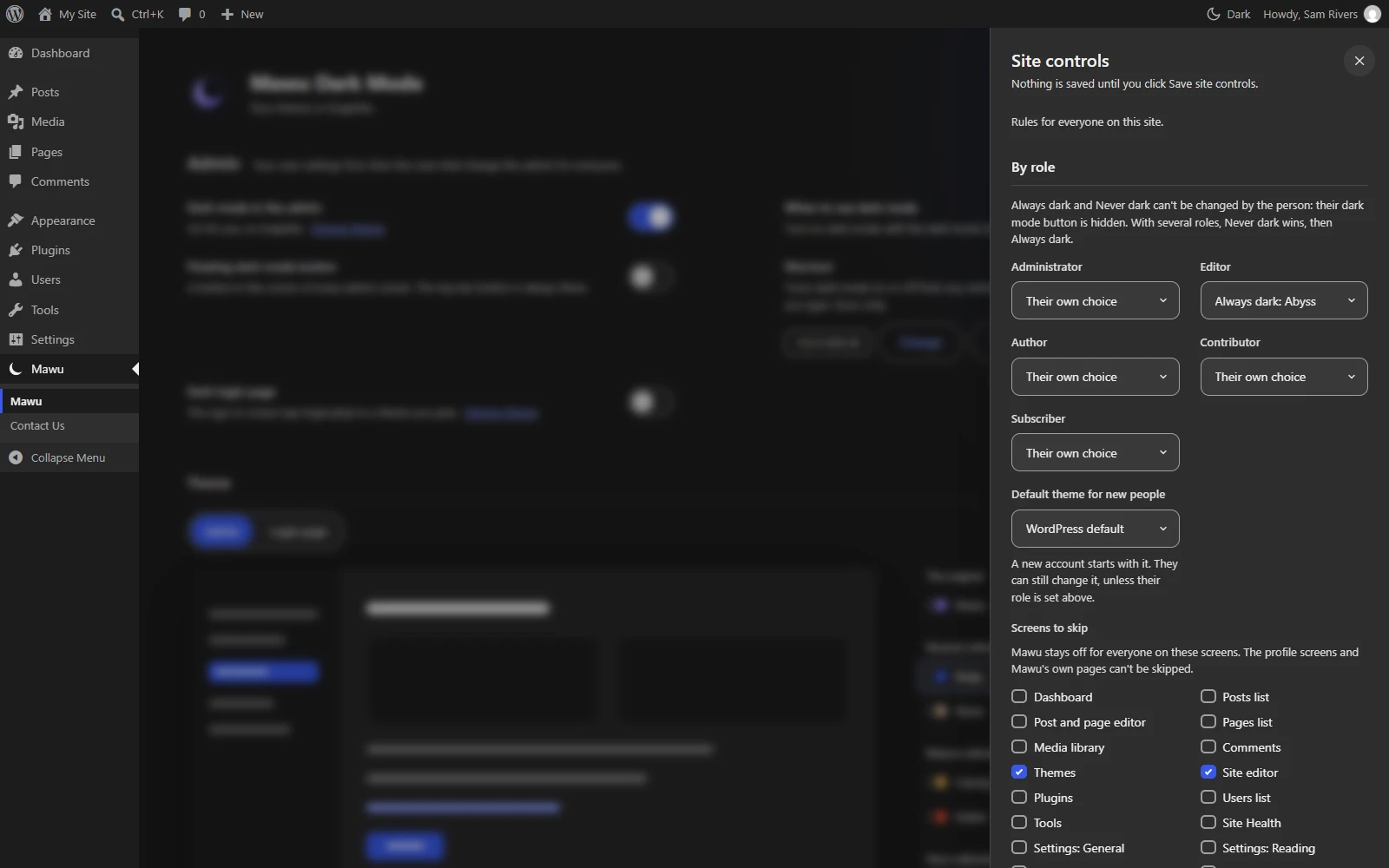
By role
One choice for each role on your site:
- Their own choice (default). People pick their own theme, as usual.
- Never dark. Dark mode stays off for this role.
- Always dark, in a theme you pick.
People whose role is set to Never dark or Always dark can’t change it, and their dark mode button is hidden. If someone has several roles, Never dark wins, then Always dark. Their profile screen shows a note that the site manages their dark mode. Their own choice is kept, so it comes back if you remove the rule.
Default theme for new people
New accounts start with this theme. The default is WordPress’s own scheme. People can still change it, unless their role is set above.
To give the default to people who already have accounts, click Apply to existing people. It only changes people who never picked a scheme. Anyone who chose one, or used the dark mode button, is left alone. It works through your users in batches of 200 and shows its progress.
Admin pages to leave light
Mawu stays off for everyone on the admin pages you tick: Dashboard, Posts list, Post and page editor, Pages list, Media library, Comments, Themes, Site editor, Plugins, Users list, Tools, Site Health, Settings: General, Settings: Reading, Updates, Import and Export.
For other screens, add their screen IDs under Other screen IDs, one per line, for example edit-product. The profile screens and Mawu’s own page can’t be skipped.
On multisite
On a multisite network with the Agency plan, network controls add a few rules for every site. See Agency.