The theme builder makes a Mawu theme from your own colours. You pick your colours, Mawu works out the rest and checks that every text colour is readable before you can save. It is part of Mawu Pro.
Open it
Go to Mawu, then More settings → Theme builder. Site administrators can use it.
Make a theme
- Type a Theme name, up to 40 characters, for example “Acme Night”.
- Pick the colours. Each has a colour picker and a box for a hex code.
- Background: the page behind everything.
- Cards: boxes and panels. It is set to Automatic and follows the background until you change it. Pick a colour to make it Your own, or click Back to automatic.
- Text: body text.
- Main colour: your brand colour. Mawu uses it for buttons and highlights.
- Links: link text. Like Cards, it is Automatic and follows the main colour until you change it.
- Watch the drawn preview at the top. It repaints as you change colours.
- Click Save theme.
Mawu works out borders, soft text and menu colours from these colours.
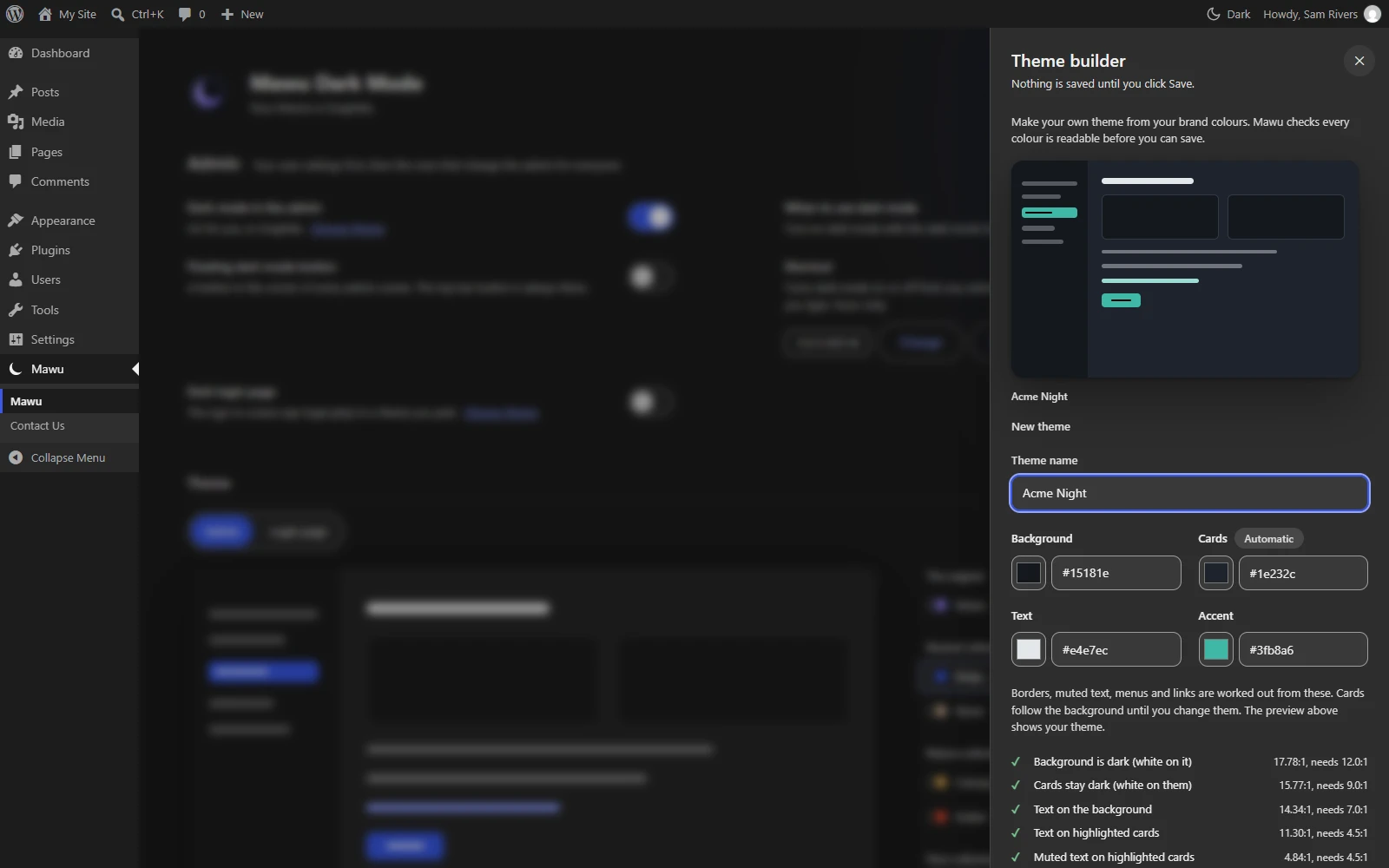
The readability checks
Under the colours, Mawu runs 11 checks. Each says Passes or Fails, with the contrast it measured and the contrast it needs, for example “4.5:1, needs 4.5:1”.
- Background is dark enough for white text
- Cards are dark enough for white text
- Text on the background
- Text on highlighted cards
- Soft text on highlighted cards
- Menu text
- Current menu item
- Links on cards
- Hovered links on cards
- Links don’t look like warning colours
- Button text on your main colour
If you pick your own link colour, a 12th check appears: Links look different from normal text.
Text checks use the WCAG AA standard. You can’t save while a check fails. Click Fix the colours for me and Mawu adjusts the colours until every check passes. If it can’t find a fix, try a darker background or a different main colour.
Use your theme
Saved themes appear in every Mawu theme list under Custom themes: your admin theme, the login page, the schedule and the theme for visitors. People on your site can pick them under Users → Profile too.
Edit, copy or delete
The list Your custom themes shows each theme with Edit, Duplicate and Delete. You can keep up to 20. If you delete a theme, anyone using it moves to the Mawu theme.
On multisite with the Agency plan, a theme outside the network’s allowed themes shows “Not offered on this network”.