Show the most-read posts from the category your reader is in. Available in Ariadne Pro.
What Popular posts does
Popular posts lists the most-read posts in a post’s category. Someone reading a bread recipe sees your most-read bread posts. Ariadne ranks them by the views it counts on your own site. A view is counted when a post is open and on screen for 5 seconds or more.
Popular needs Count views and read depth to be on. You find it under Ariadne Related Posts → Settings → Matching. All Popular settings are on the Popular tab.
Where it can show
You can use more than one place at once.
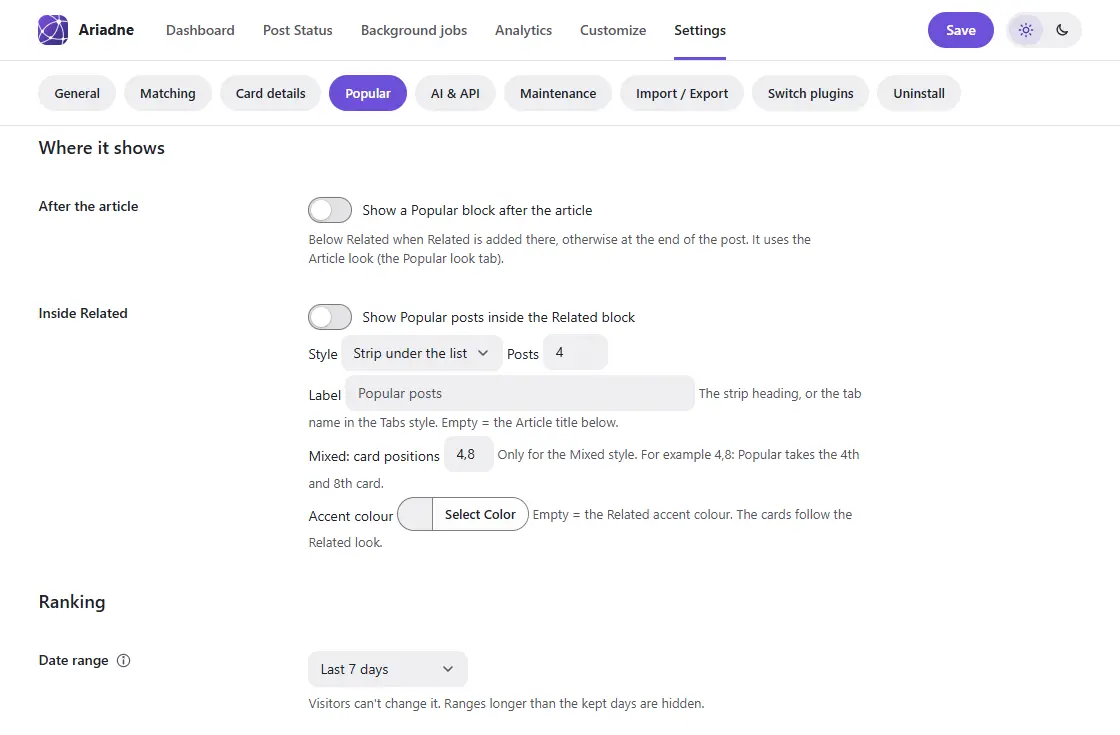
- After the article. Turn on “Show a Popular block after the article”. It goes below Related when Related is added there, or at the end of the post.
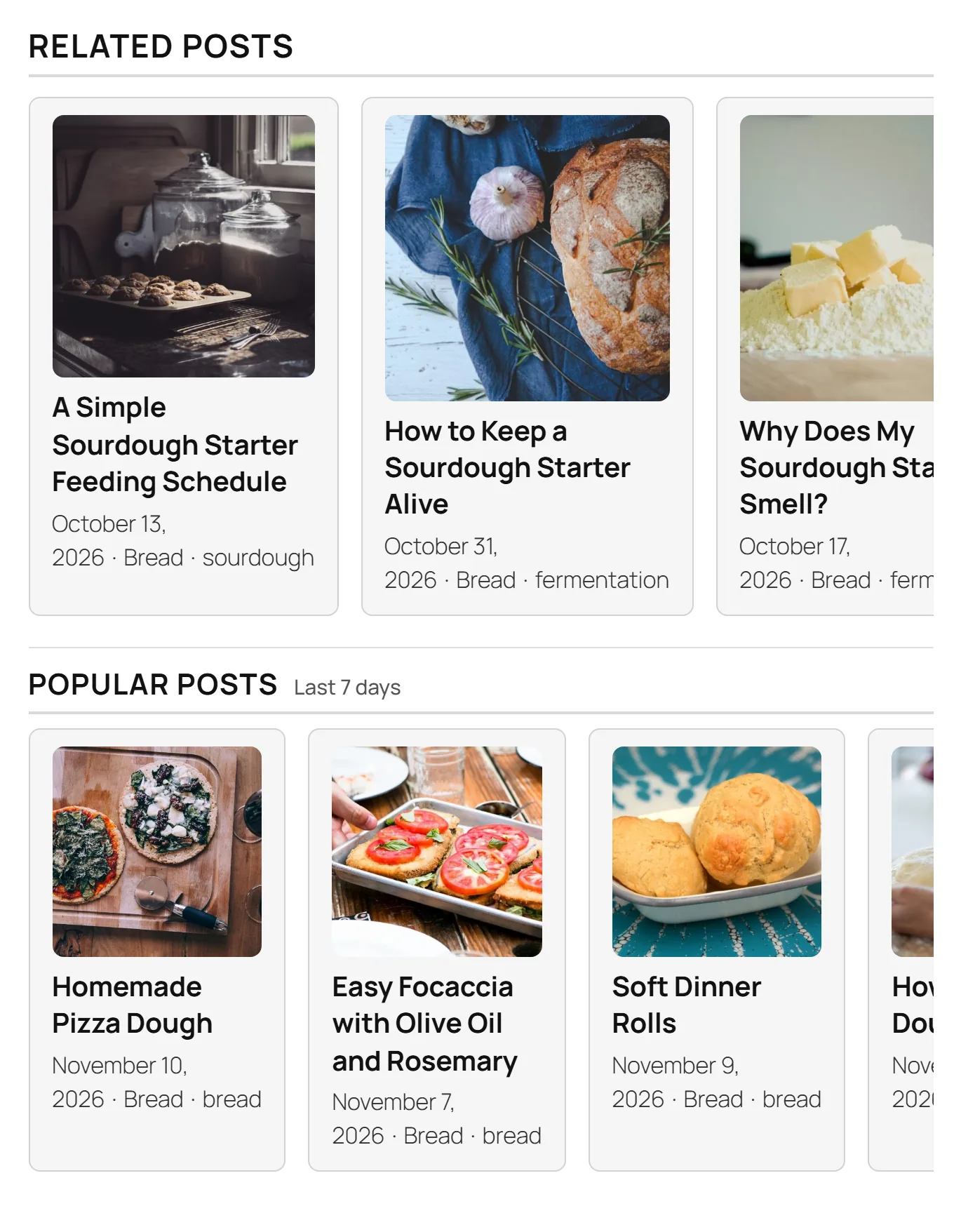
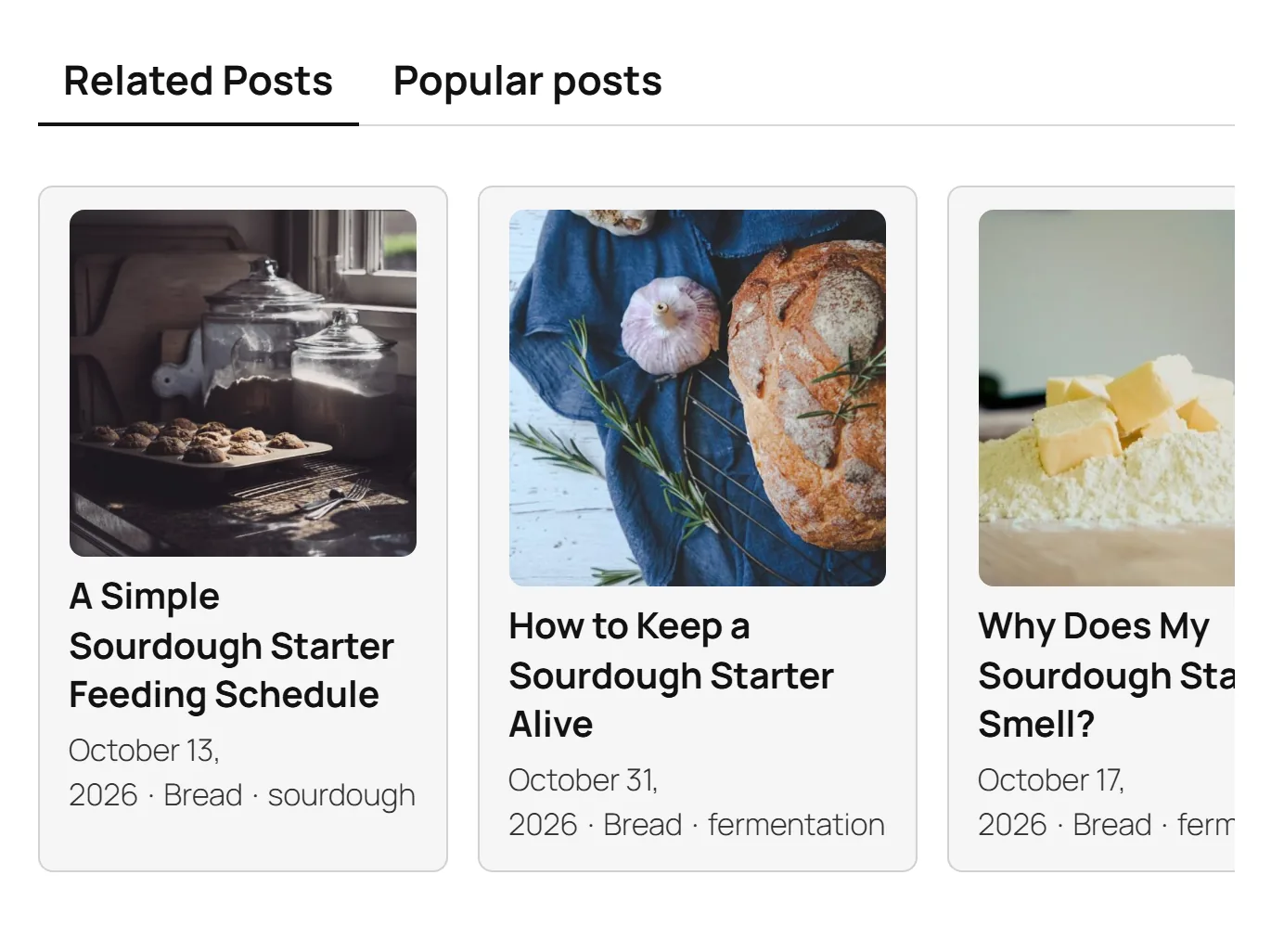
- Inside Related. Turn on “Show Popular posts inside the Related block”, then pick a style. Strip puts a row under the related list. Tabs gives two tabs, Related and Popular. Mixed puts Popular cards inside the related list, at the card positions you choose (4 and 8 by default), with a “Popular” marker on each.
- Anywhere else. Use the Popular posts block, the
[ariadne_popular]shortcode or the Ariadne Popular Posts widget.
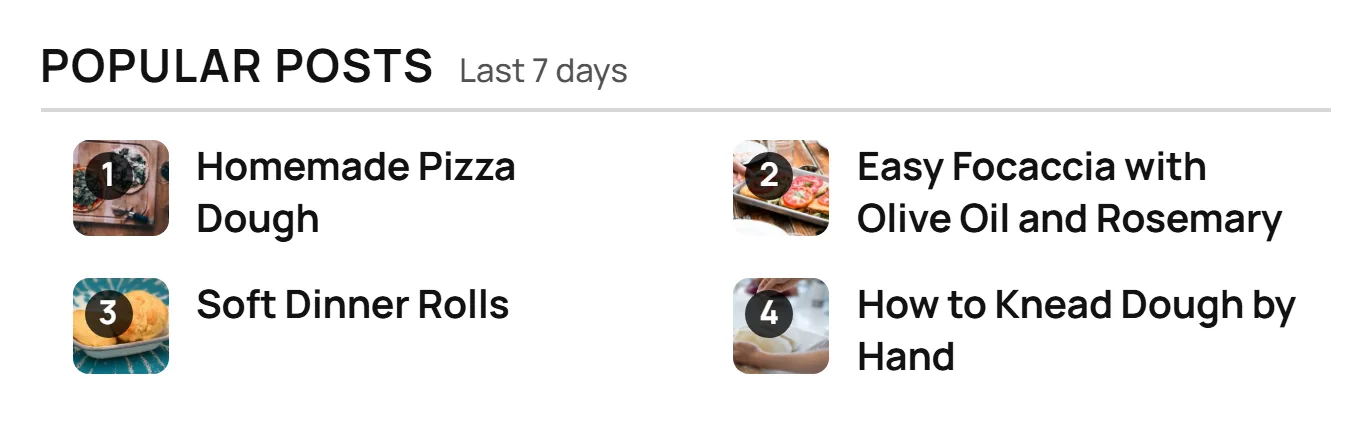
Here is Popular as a strip inside the Related block:
And as tabs:
How posts are ranked
- A post needs at least 3 views in the date range to be ranked.
- A category needs at least 5 posts. If a category is smaller, Ariadne tries the post’s next category.
- If there aren’t enough ranked posts, the empty spots fill with your newest posts. You can choose to hide them instead.
- A list never repeats a post that is already on the page: the post itself, the Up next post, posts the article links to, and cards from other Ariadne lists.
- You can exclude categories, for example Uncategorized.
A post with more than one category ranks in its first category, the same one its card shows. You can pick a different one of its categories in the post’s Ariadne box, or turn Popular off for that post.
Date range
Choose today, 7 days, 30 days or 90 days. 7 days is the default. All time needs Pro+. Visitors can’t change the range.
A range can’t be longer than the days you keep data. If you keep data for 30 days, the 90 days range is not offered. Keep data for 90 days or more to use it.
A short range suits news. A long range suits guides that stay useful for years.
Title
The default title is “Popular posts”. You can change it for the whole site, for one category or for one post. Type {term} to show the category name, linked to its archive. The range (“Last 7 days”) shows next to the title. You can turn that off, or hide the title.
Category styles
Each category can have its own title, date range, look and colour, for up to 50 categories. Title, range and colour apply everywhere. The look applies to lists in the article. Leave a field empty to use the site setting.
You can set them in two places. Use the table on the Popular tab, or open Posts → Categories, edit a category, and use its Popular posts section. Both show the same settings.
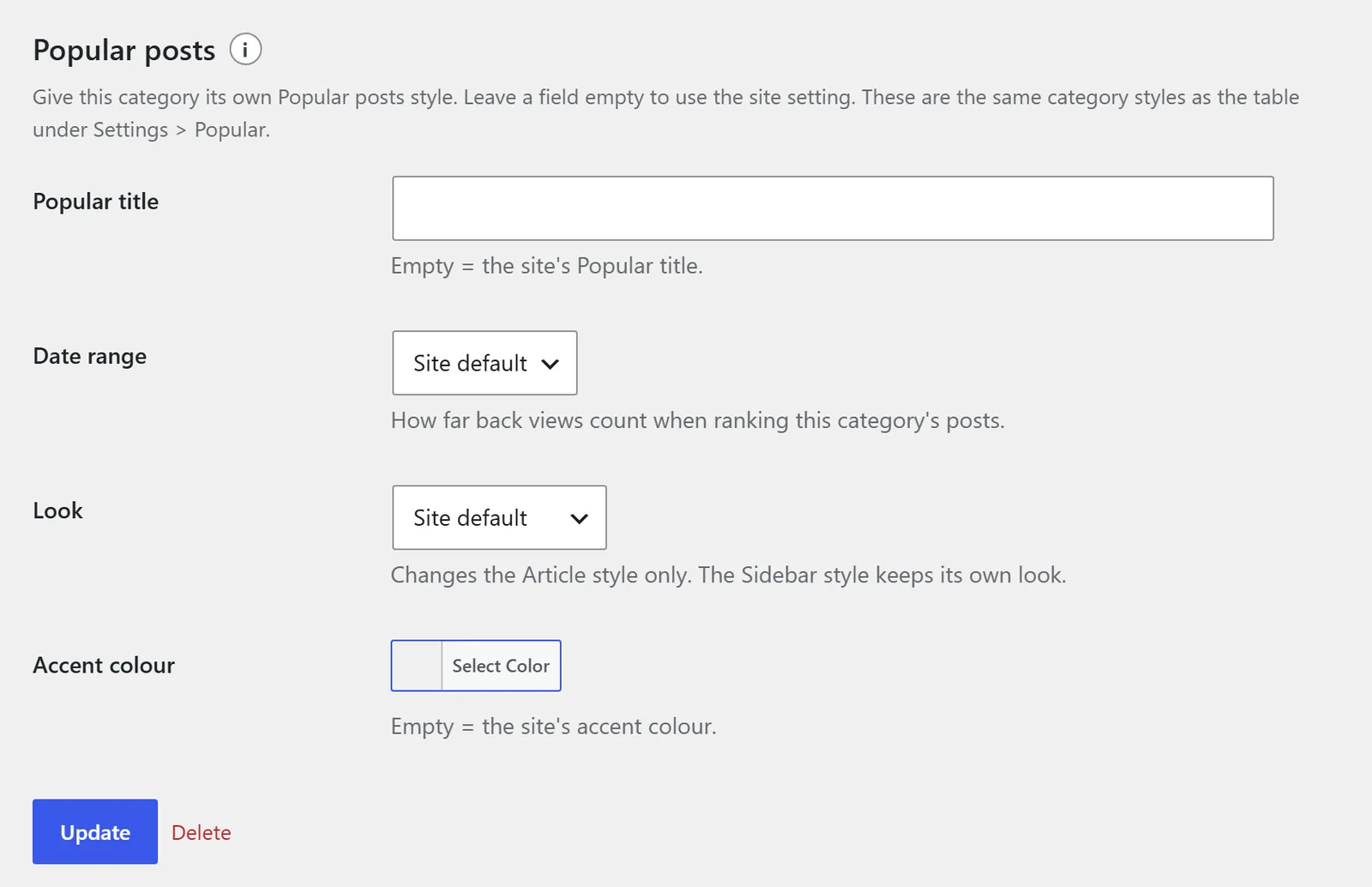
When two settings clash, a post’s own Popular settings win. Then comes the category style, then the site settings.
Looks
Popular has two style sets. Article is for lists in a post. Sidebar is for widgets and other narrow spots. Each set can use one of five looks: Ranked list, Cards, Lead + list, Numbered box or Thumbnail row. You change colours and sizes on the Popular look tab of Ariadne Related Posts → Customize, or in Appearance → Customize → Ariadne Related Posts, with a live preview.
Each set can also use a look from the style library. Pick it in the Customizer, in the Popular posts: Article or Popular posts: Sidebar section. Popular can use Read also, Text line, Rich link, Arrow card, Profile chip, Text list, Lead + links and Chip row.
A Popular posts block or shortcode can pick its own look. That look wins over the category style, and the category style wins over the set’s pick.
Email reports
The Popular tab also has an Email report section. It emails you a short summary of your Analytics, every week or every 30 days. See email reports.
Shortcode options
| Option | What it does |
|---|---|
category | Empty or auto: the current page’s category. site: the whole site. A category slug or ID: that category. |
range | today, 7d, 30d, 90d or all. |
count | How many posts, up to 30. |
look | ranked, cards, lead, box or thumbs. Style library looks work too: read-also, text-line, rich-link, arrow-card, profile-chip, text-list, lead-links or chip-row. |
heading | Your own title. {term} works here. none hides it. |
style | article or sidebar. |
fallback | fill (newest posts) or hide. |
Example: [ariadne_popular category="site" range="30d" count="5" look="box"]
The Popular posts block has the same options in its sidebar. The widget lets you pick the title, category, date range, number of posts and style set.
If your licence ends
Popular lists you already placed keep showing, with their saved settings. Ariadne stops counting new views, and you can’t change the Popular settings until you renew. See what happens if you downgrade.
Related pages
- Analytics: see how often readers click your Popular lists.
- Privacy and external services: what Ariadne counts and keeps.