What each row in the Dashboard’s Status card actually measures, including the two that are easy to misread.
What this card is for
The Status card on the Ariadne Dashboard is a quick check on whether the background work behind related posts is keeping up. It is not a support ticket or an error log. Each row shows a short result on the right, such as “12 of 12 up to date.” Click a row, or tab to it and press Enter, to open a one-line note on what it means. Click it again to close it. This page goes into more depth than that one line does.
On Free, the card has three rows: List freshness, New matches and Needs attention. Pro and Pro+ add two more: AI summaries and AI matching.
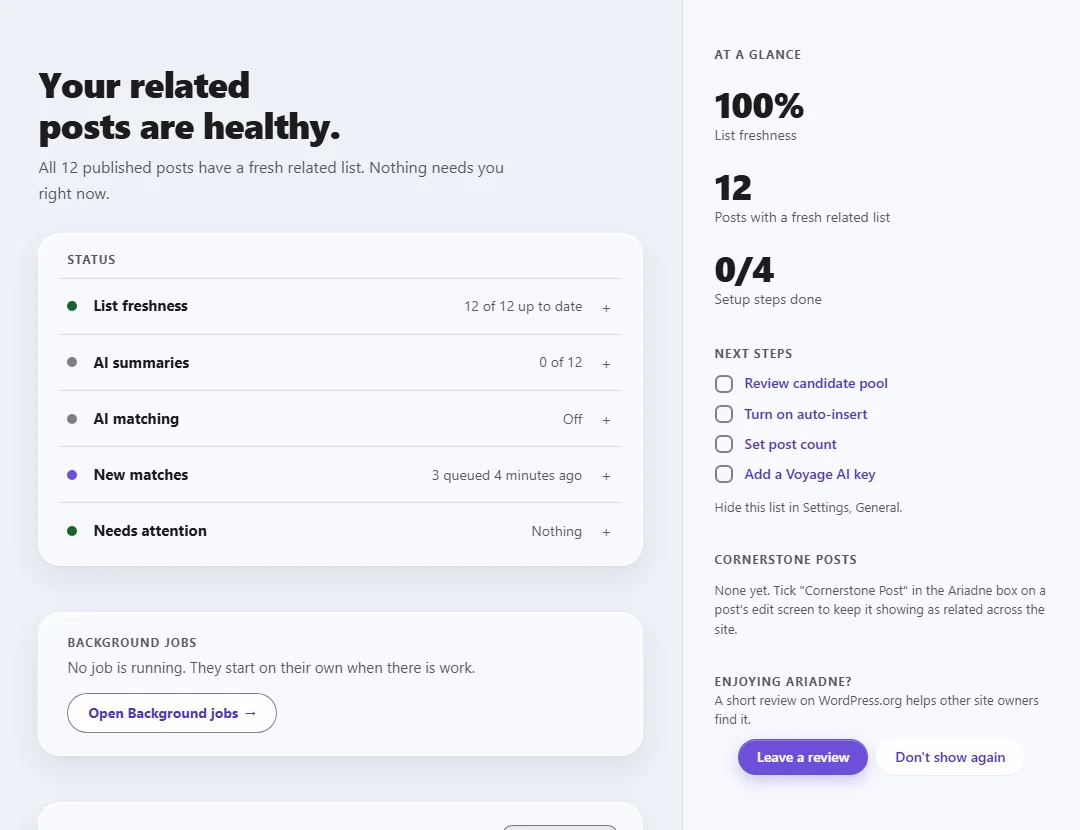
List freshness
The natural reading of this row is “how many of my posts have related posts,” but that’s not what it measures. It measures how many of your posts have an up-to-date related list, whatever that list actually turned up for each one.
A post counts as current here the moment its related list has been rebuilt under your site’s present matching rules, even if that rebuild found zero matches. A post can also have an older list still showing on the front end while its own list has already fallen behind, which is exactly what this row is watching for. It can tell you whether a post’s list is caught up. It can’t tell you whether that post actually has any matches showing.
This number moves whenever something changes that affects every post at once, like adjusting a matching setting, or something that affects one post specifically, like that post’s own AI summary finishing or being made again.
Open the row to see its note. It reads: a related list is fresh when it was built with today’s matching rules, and lists refresh in the background in small batches, never while a page loads.
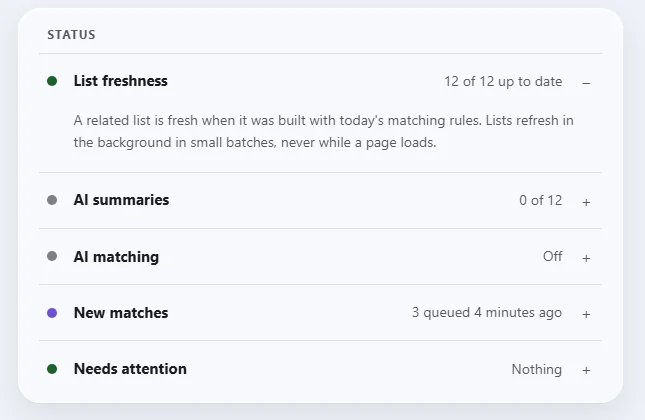
AI summaries (Pro)
This row counts how many of your posts have an AI summary on file: the piece of information the AI-matching signal actually compares between posts to judge how closely two are related. A post is counted here once its summary has been made. Nothing in this row means a post has a written summary you’d read anywhere. It’s the plugin’s own name for the underlying AI data, not a text blurb.
With no Voyage AI key set, the row shows 0, and its note has a link to add a key in Settings.
AI matching (Pro)
This is the row most likely to get read backwards. It sounds like it describes which posts get matched to each other using AI. It doesn’t. It describes how many related lists were built while their post had an AI summary to use, instead of falling back to tag, title, and text matching alone.
This row is about the post doing the searching, not the posts it found. A post’s list can count as built with AI and still end up made entirely of posts it matched by tag or title. Whether AI data was available and how good the matches turned out to be are two different questions, and this row only answers the first one.
With no key set, this row simply says Off. Right after you add a key it can stay low, even at zero, for a while. A list built before its post had a summary only switches over at its next refresh.
New matches
This row works differently from the others. It isn’t a share of your site, it’s a running note of one specific event: a brand-new post getting saved and, in the process of finding its own related posts, turning out to be a good match for an older post too. When that happens, the older post gets queued for a refresh, so its own related list can pick up the new post next time it updates.
This row shows how many older posts are currently queued that way, and how long ago the most recent one was queued, or “Nothing” if none are. It isn’t a separate background process by itself. The actual refresh work happens in the “Refresh related lists” job on the Background jobs screen.
Needs attention
This row counts posts whose related list is out of date. Post Status lists them, with a one-click redo for each. On a caught-up site it says “Nothing.”
Checking whether background work is actually running
The Status card doesn’t show whether jobs are running right now. The Background jobs card just below it does, in one line, with a link to the Background jobs screen. That screen lists each job on its own: its state, when it last ran, when it runs next, and a Run now button if you don’t want to wait. If Needs attention stays high for a while, that screen is the right place to check whether the jobs behind it are actually moving.
It also tells you when something is holding the jobs back:
- Background jobs are paused. Someone turned on Settings → Matching → “Pause background jobs.” Posts you save still get their own list; turn the pause off to let the rest catch up.
- Background requests are not arriving. The jobs keep themselves moving by sending small requests to your own site. A firewall, a security plugin or a site password can block them. The jobs then only move when someone visits the site. WordPress’s Tools → Site Health shows the same warning.
- AI summaries are paused (Pro). Voyage AI returned an error, so the job waits before trying again. The message shows the last error and when the job tries again.
- The daily AI request limit is reached (Pro), if you set one. AI summaries continue the next day.
The Problems list at the bottom of that screen shows jobs that stall and posts that fail.
The AI Usage card
On Pro, the Dashboard also has an AI Usage card. It counts calls to Voyage AI for the last 7, 30 or 90 days. A trend appears once there are at least two days of history.
Reading them together
On a caught-up site, List freshness and AI summaries sit close to their full count, New matches shows nothing queued or clears quickly, and Needs attention says “Nothing.” Right after a bulk change, like adding an AI key, publishing a large batch of posts, or changing a matching setting, it’s normal for Needs attention to jump and for Background jobs to show real activity for a while as the queue works through it. That’s the system doing its job, not a fault.