Ariadne 1.11.0 is out. The big news is Analytics. This related posts plugin for WordPress can now show you whether readers click your lists, and whether they stay to read the post they open.
The release also adds Popular posts, new looks for your lists and for Up next, faster rebuilds and easier settings. Here is a short tour.
See which lists readers click (Pro)
A related list can look busy and still not help. A reader clicks a card, finds a post they didn’t want, and leaves. If you only count clicks, that looks like a win.
The new Analytics screen answers two simple questions. Do readers click your lists? And do they stay to read the post they open? Ariadne counts it as a read when the opened post stays on screen for at least 5 seconds.
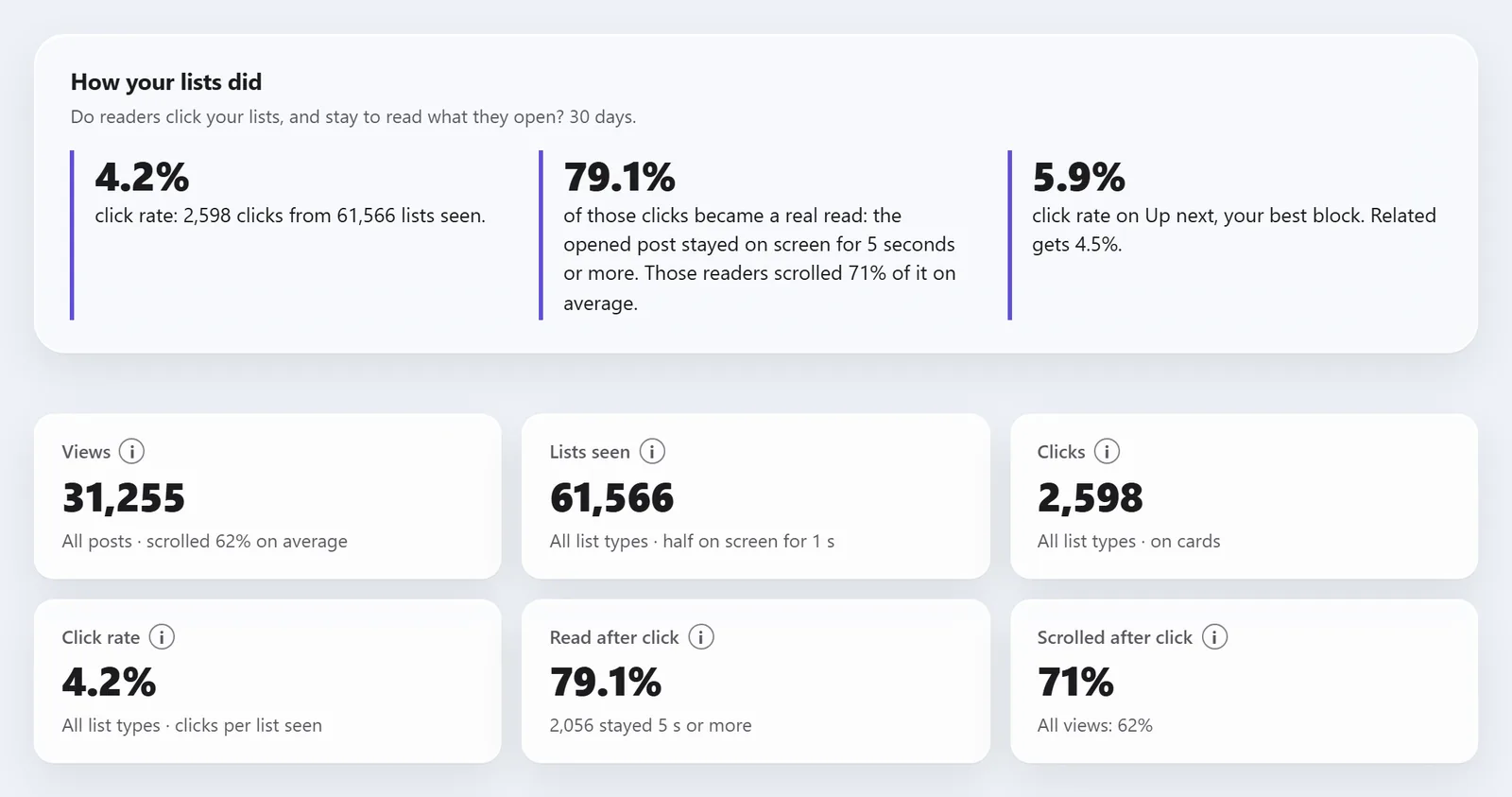
Analytics also shows the lists that work best and the ones to check first. So you can fix the weak lists instead of guessing. To share the numbers, export a PDF report with your site’s name and logo, or a CSV or JSON file.
The Analytics docs explain every number.
Popular posts by category (Pro)
Popular posts shows your most-read posts from the category the reader is in. Someone reading a bread recipe sees your most-read bread posts. You can show the list after the article, inside the Related block as tabs or a strip, or anywhere with a block, the [ariadne_popular] shortcode or a widget.
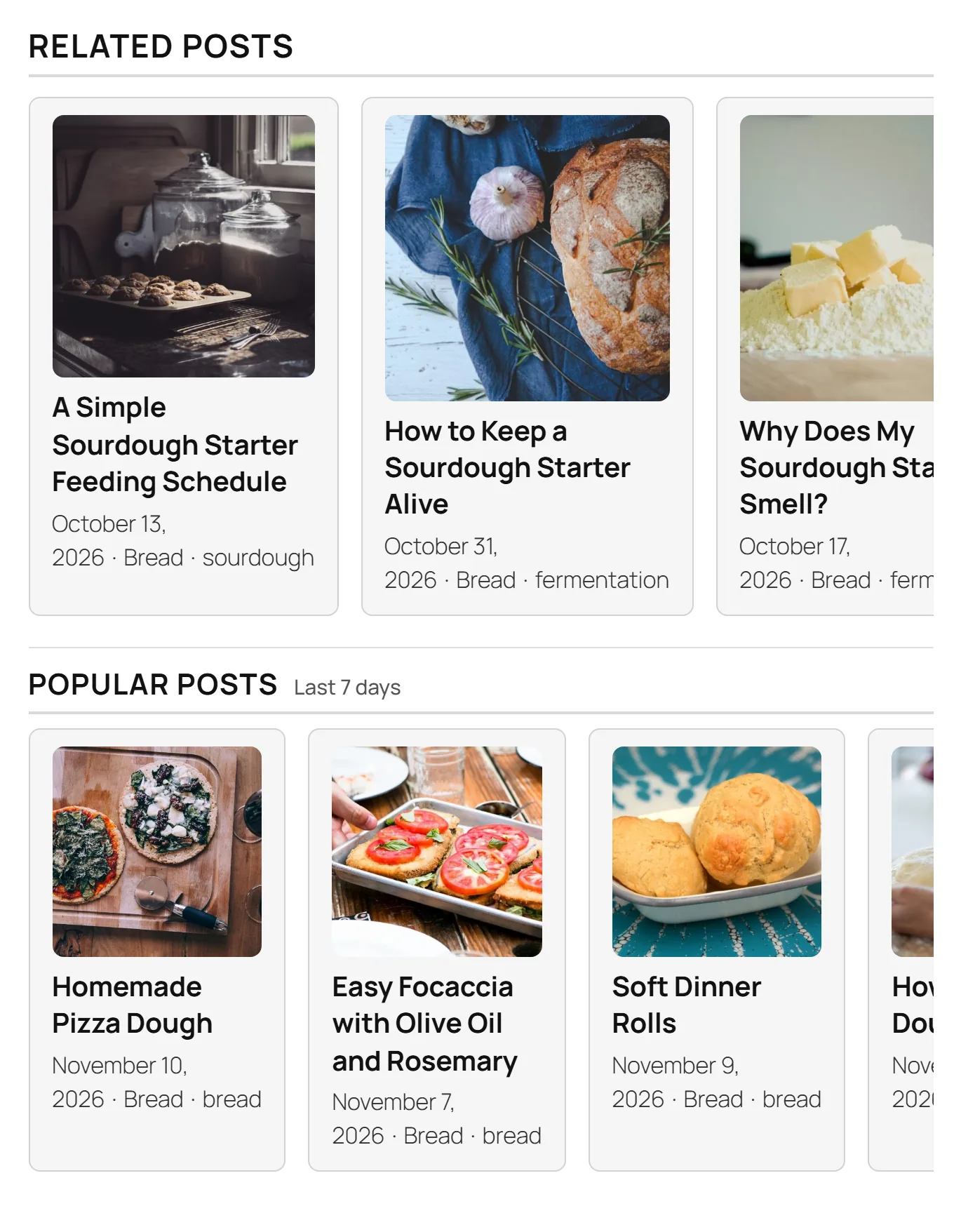
Pick a date range: today, 7, 30 or 90 days. Pro+ adds All time. Each category can also have its own title, range, look and colour. The Popular posts docs cover every setting.
New looks for your lists (Pro)
Your related list no longer has to be a row of cards. Pro adds a style library with fourteen new looks and layouts. The Related block can use nine of them and Popular posts can use eight. The boxes inside the article can use all fourteen, and they need Pro+. Some show one post at a time, like Rich link and Arrow card. Others show several posts together, like Text list and Lead + links.
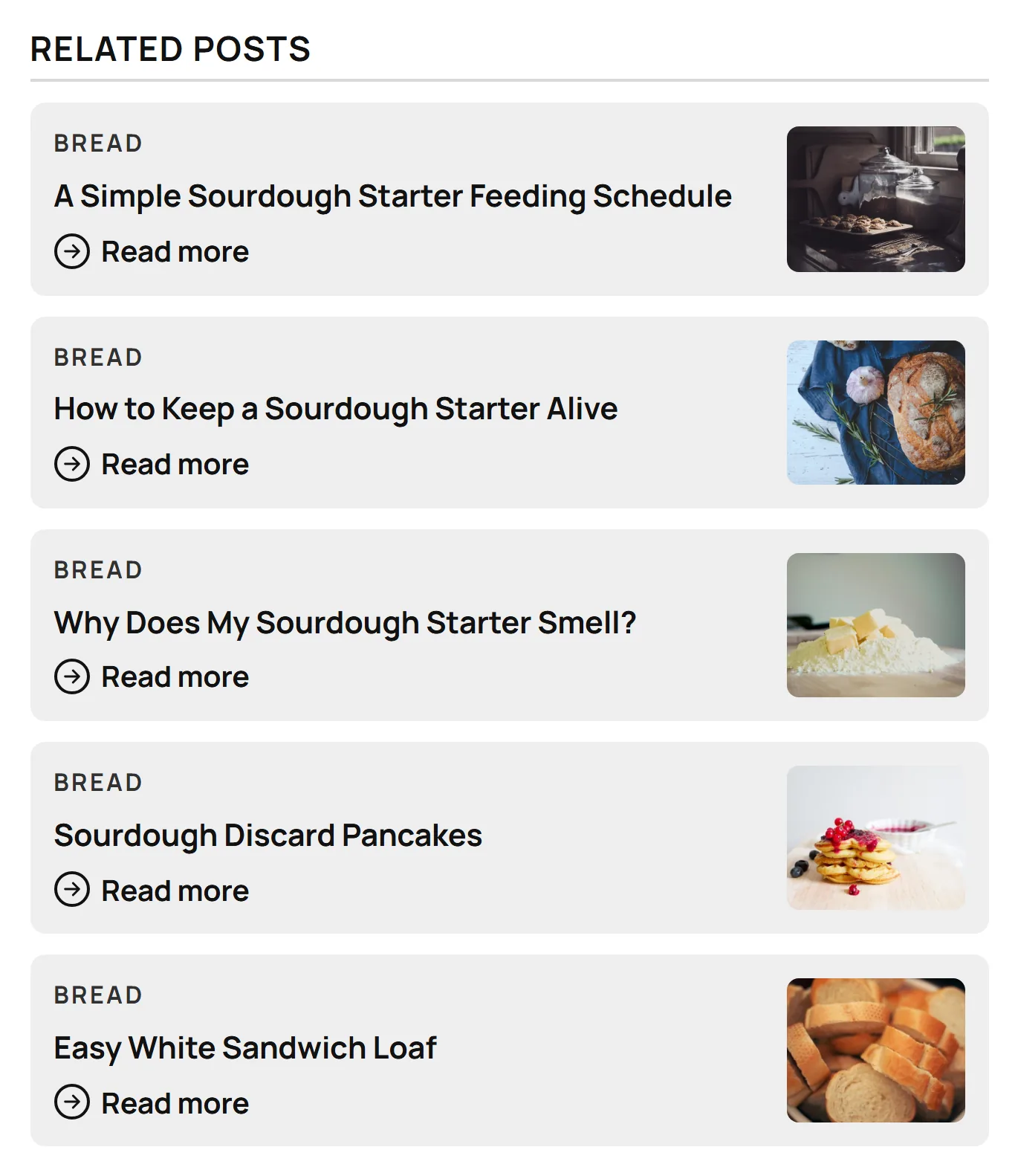
If you write stories in parts, mark a tag as a story series, then pick the Series strip look. The strip shows the parts in date order, so readers can find the next one. The Style library docs show every look.
Seven looks for Up next
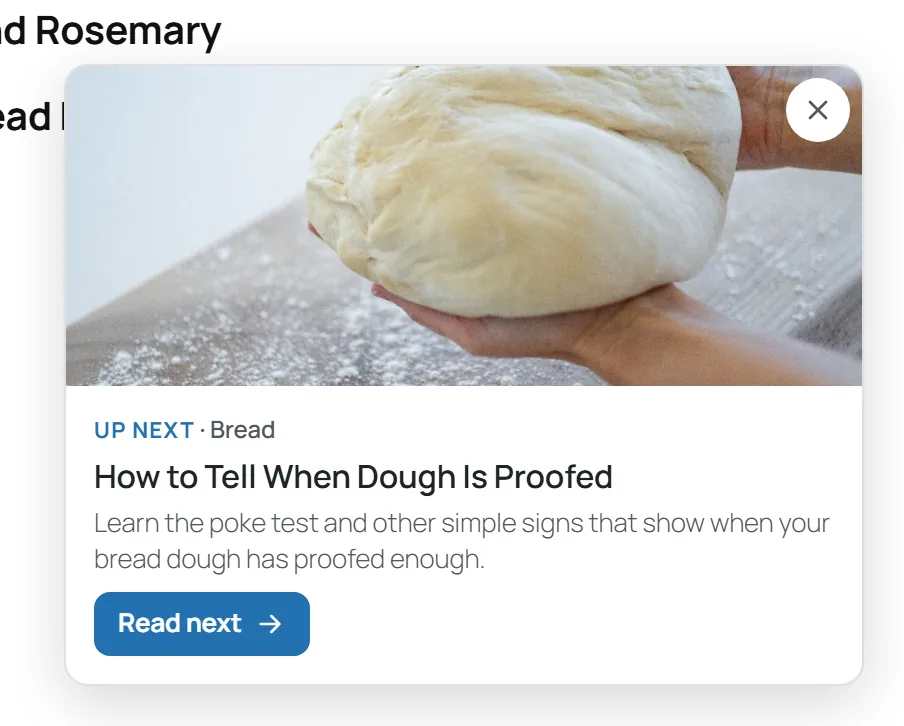
Up next offers one more article once a reader is part-way through a post. The corner card stays free, and it is still the default. Pro adds six more looks, from a slim Pill at the bottom of the screen to a Read next card with a big photo. A Story series switch sends readers to the next part of a story.
Faster and easier for everyone
These changes are in the free version too:
- “Recompute all” and other big rebuilds run up to about three times faster. The related lists come out exactly the same.
- On large sites, Ariadne checks many more posts before it picks a list, so the best match is no longer missed.
- Words that most of your titles share, like “2026”, no longer make unrelated posts look alike.
- A post the article already links to is not suggested again in its list.
- Settings are easier to follow. The Customizer has small (i) tips, and the help text is plainer everywhere.
Your numbers stay on your site
The new counts are daily totals in your own database. Ariadne uses no cookies, stores no IP addresses and sends nothing to another service. To tell if a click turned into a read, it keeps one tiny note in the reader’s tab for up to 30 minutes, then deletes it. You choose how long the totals are kept, from 30 to 365 days, and you can turn counting off at any time. The free version counts nothing.
Should you update?
Yes. Every Ariadne user gets the faster rebuilds and better matches for free. Go to Plugins → Installed Plugins and update Ariadne. Your related lists and settings stay as they are.
If you want to know whether your related posts keep readers on your site, Ariadne Pro’s Analytics is the quickest way to find out. Pro is $49.99 a year or $4.99 a month. Pro+ is $99.99 a year or $9.99 a month, and adds related boxes inside the article, the All time range, WP-CLI and settings export and import. If you cancel within 30 days, you get a full refund. See the Ariadne plans.
The changelog lists every change in 1.11.0.
Related Posts
- Which WordPress Related Posts Plugins Actually Use AI?
- Mawu 0.11.0: A WordPress Dark Mode Plugin for Your Admin and Your Website
- Mawu 0.13.0: New Year Themes, Confetti and an Easy Move from WP Dark Mode
- Meet Spurn: a free WordPress plugin for a cleaner disavow file
- Inline vs. End-of-Post: Where Should Related Posts Actually Go?