Mawu 0.13.0 is out. This update to our WordPress dark mode plugin gets your site ready for the end of the year. It adds three New Year themes, New Year confetti in Pro, and an easy way to move over from WP Dark Mode.
Here is what is new:
- A New Year collection with three themes. That makes 26 themes, all free.
- New Year confetti, with balloons you can pop (Pro).
- A one-click import if you are coming from WP Dark Mode.
- A dark Customizer and dark page builders, if you want them (Pro).
- Plainer words in the settings, and small ? tips where a setting needs more help.
- Less code on your visitors’ pages, and a long list of fixes.
Three New Year themes
The New Year collection joins Halloween and Christmas. Each theme is a night colour with a bright party accent:
- Gala: midnight navy with champagne gold.
- Fizz: plum night with party pink.
- Spark: night sky with firework teal.
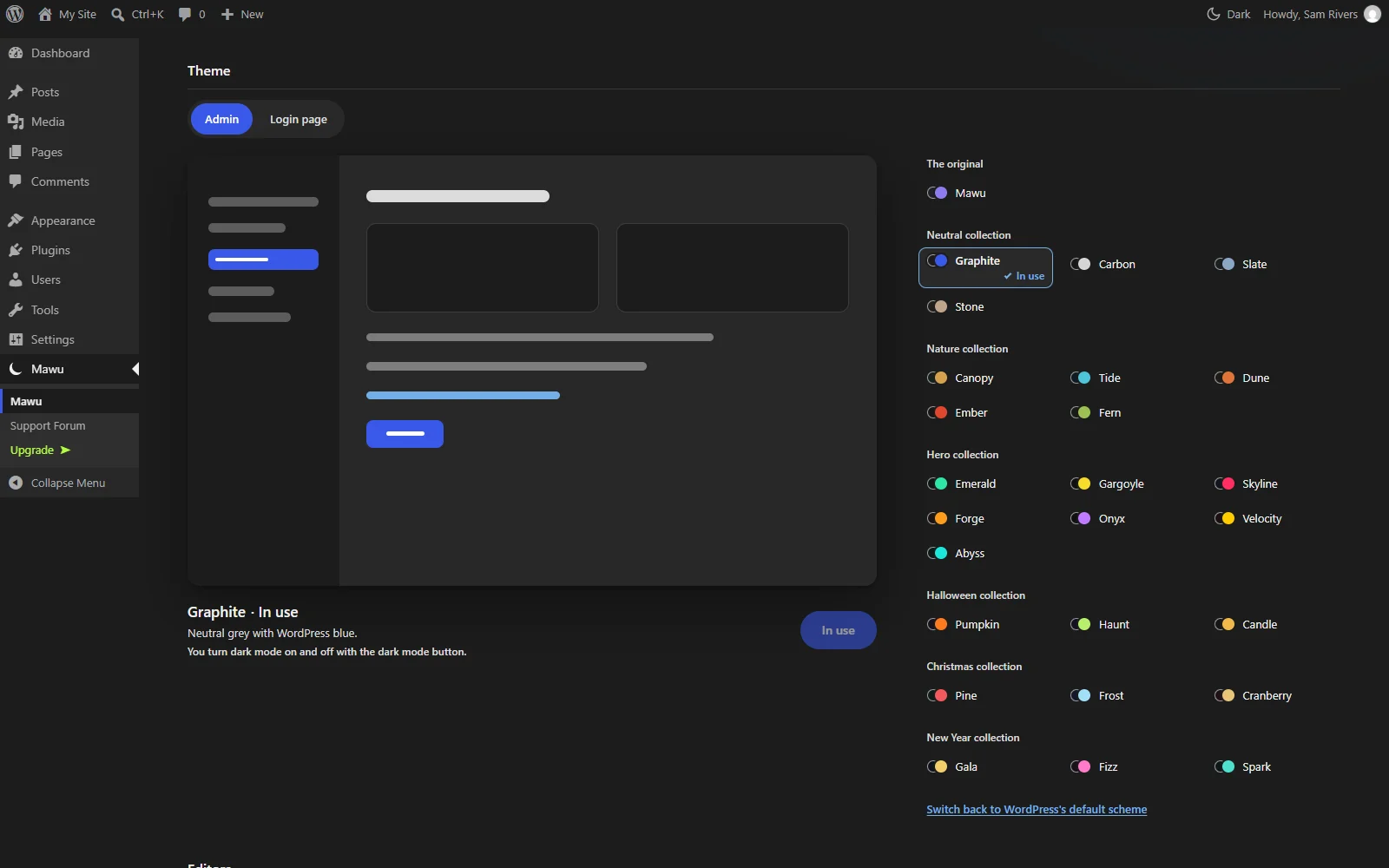
Like every Mawu theme, they are free. They pass the same contrast checks for text, links and buttons as the other 23. You can use them in your admin, in both editors, on the login page and for your visitors. See all 26 themes with their colours.
New Year confetti (Pro)
Pro already has snow at Christmas and ghosts and bats at Halloween. Now it has confetti at New Year. Balloons float up with it, and you can click them to pop them. Some of them are gold.
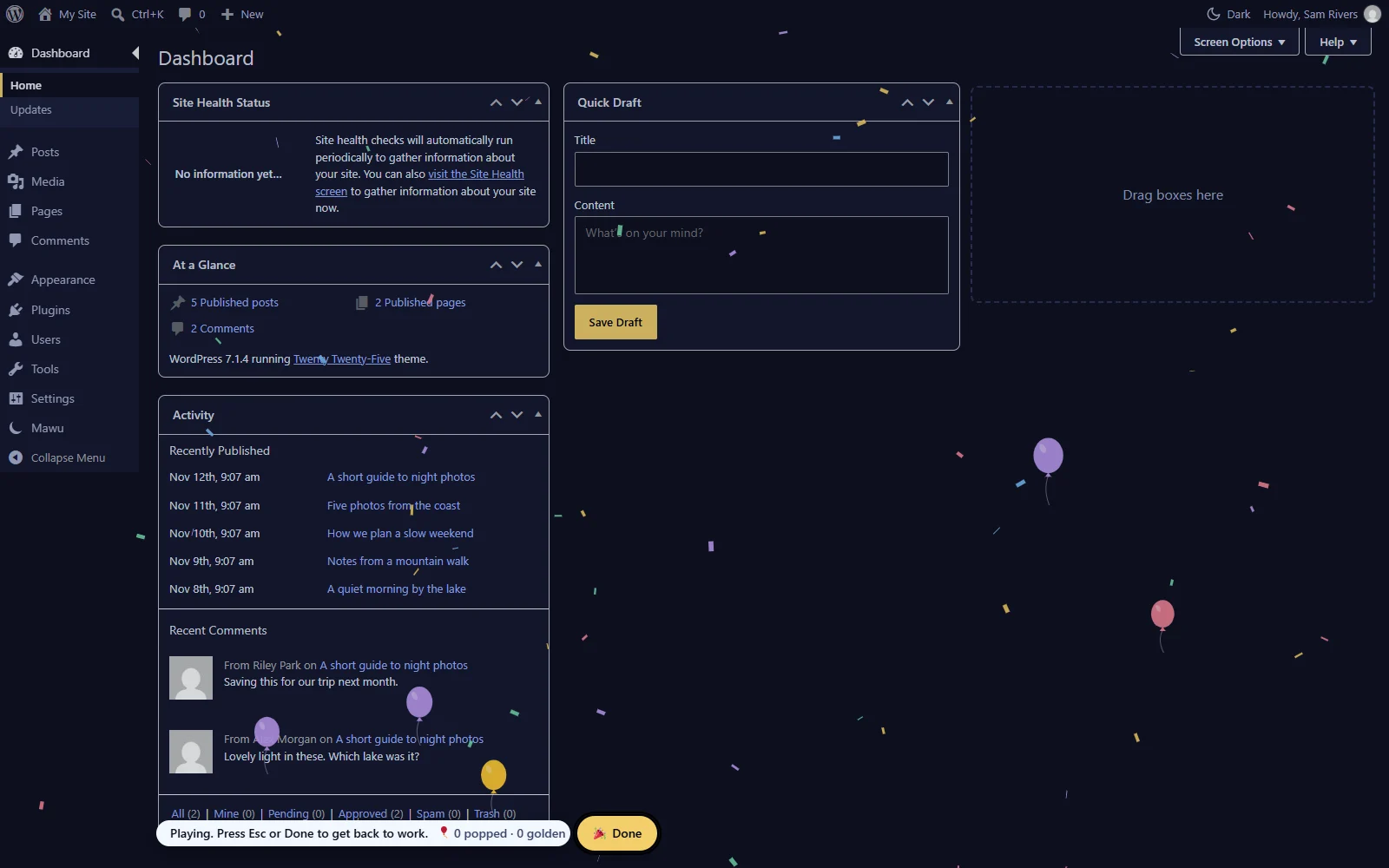
The confetti plays when you use a New Year theme. Or turn on “Use effects based on the season” and it plays from 27 December to 6 January with any theme. Snow now ends on 26 December, so the two seasons don’t overlap.
Effects never run when your device asks for less motion. The seasonal effects guide covers every setting.
Coming from WP Dark Mode?
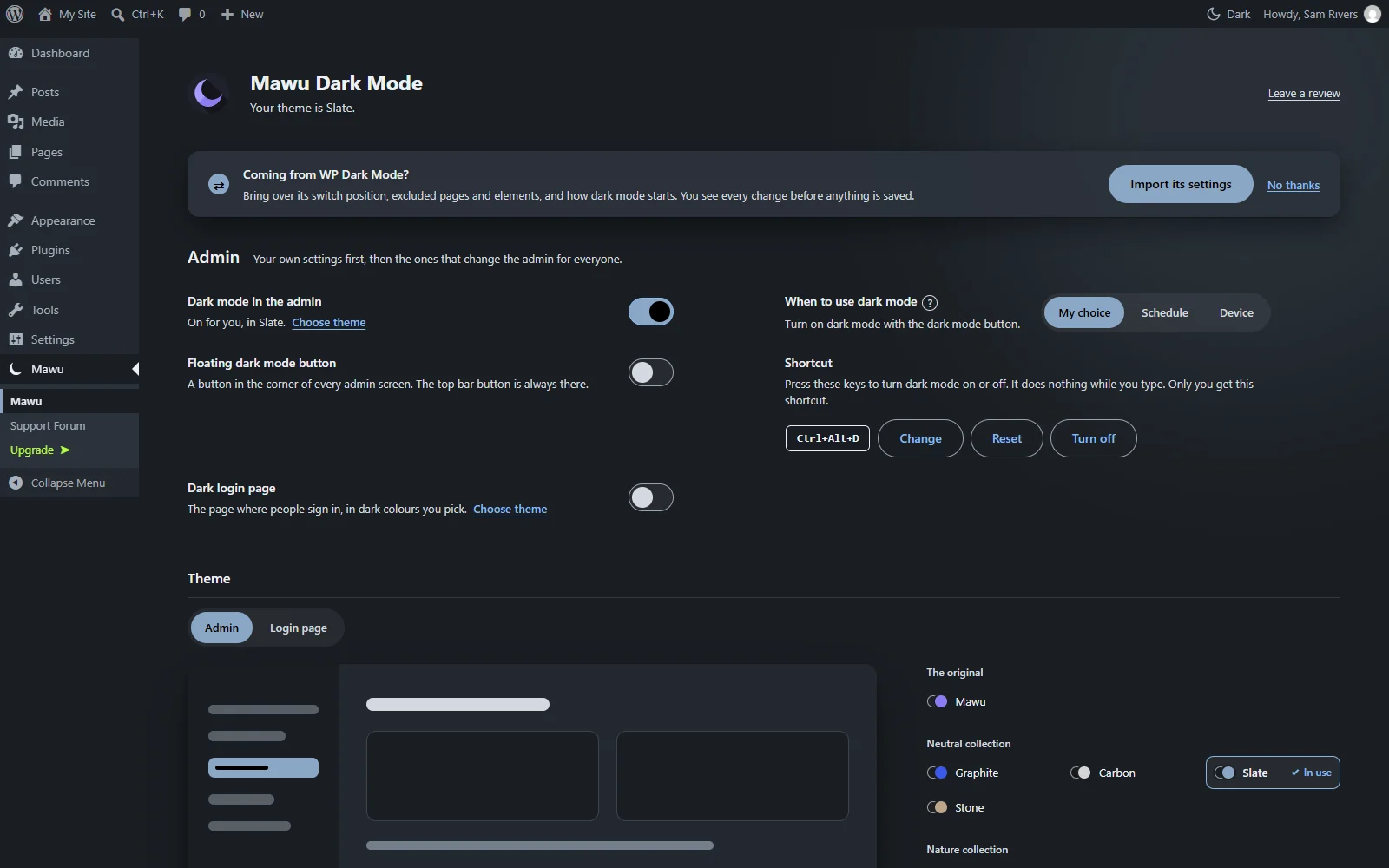
If WP Dark Mode is on your site, Mawu finds its settings and offers to bring them over. It copies:
- Whether dark mode is on for your visitors.
- How dark mode starts on a first visit: light, dark or the visitor’s device.
- The switch: on or off, its corner, its distance from the edges, its size and which devices show it.
- The parts of the page you kept light.
- The pages and products you left out.
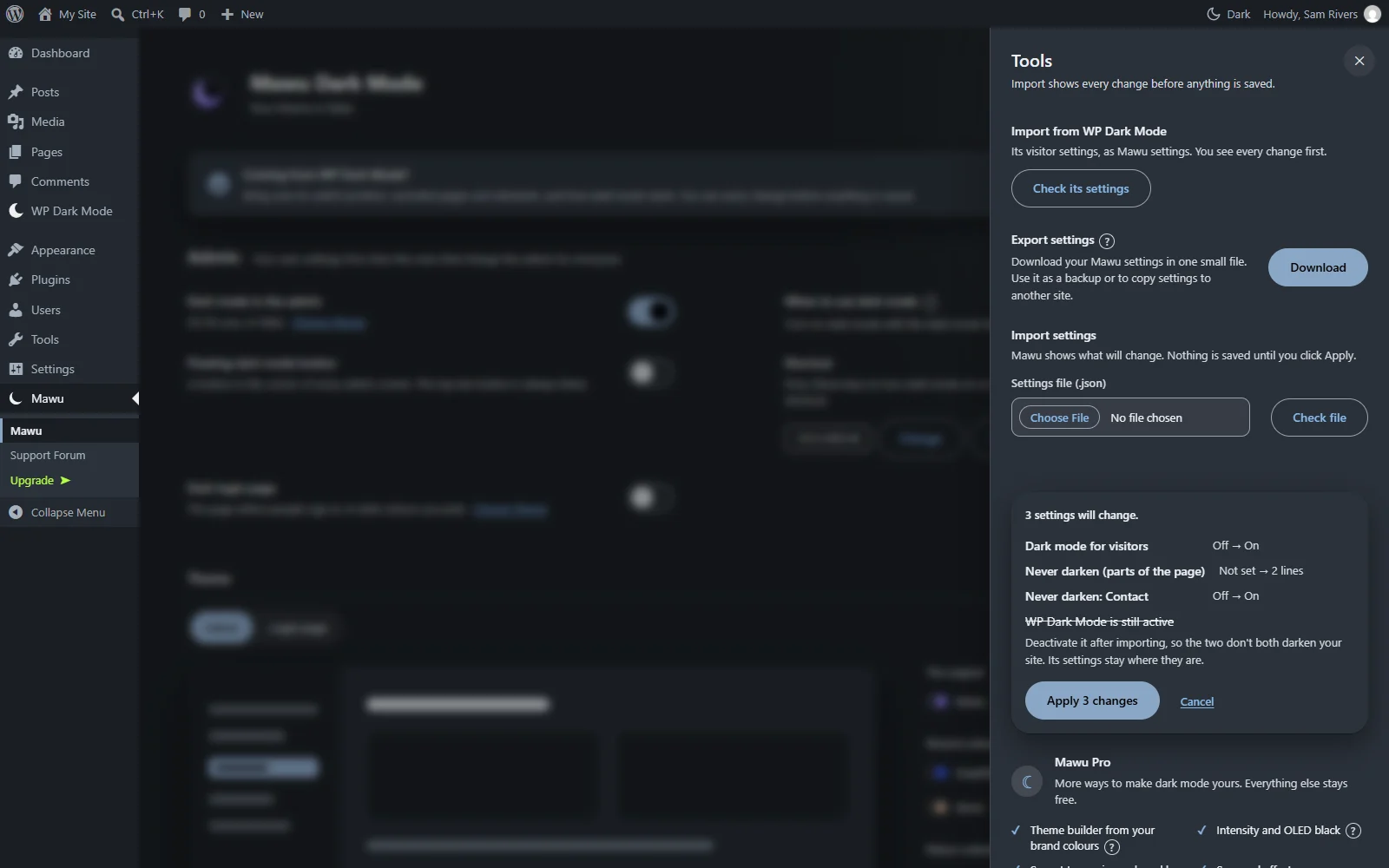
You see every change before anything is saved. Nothing changes until you click Apply. Settings Mawu can’t use get a short note that says why. Mawu only reads WP Dark Mode’s settings. It never changes or deletes them, so you can switch back if you like.
Want to compare the two plugins first? Read our WP Dark Mode alternative guide. The import guide has the steps.
A dark Customizer and page builders (Pro)
Free keeps the Customizer and page builders light. Pro now has two new options in the Editors group:
- Customizer: dark. The Customizer uses your Mawu theme. Its preview shows your site in dark mode, if visitor dark mode is on.
- Page builders: dark. Elementor switches to its own dark look. Builder previews show your site in dark mode, if visitor dark mode is on.
Both are off until you turn them on. Your saved pages are never changed. If you picked Light or Dark in Elementor yourself, your choice wins.
Clearer settings
We went through every setting and made the words plainer. Where a setting needs more than one line, there is now a small ? next to it. Point at it, or tap it on a phone, for a short tip.
Faster pages and fixes
Visitor dark mode now adds less CSS to each page. In Pro, the Frontend settings page and pages with dark images load a little faster.
We also fixed these in dark mode:
- Block themes keep their own page and text colours, so colour bands, banners and accent buttons stay readable.
- Light submit buttons, like the ones in Twenty Twenty-One and the bbPress search, keep their colours.
- The “Up next” bar from Ariadne Related Posts has a readable label and button.
- Quotes in the block editor and the Classic Editor are readable when a theme puts them in a light box.
- The Jetpack Newsletter chart on the dashboard has readable labels.
- Empty dashboard columns show their dashed outlines.
- In a dark Customizer, links, the device icons and plugins’ active buttons are clear.
Pro has two more fixes. A part you fixed with “Make it darker” keeps its stock, error and sale colours. And visitor stats now work with security plugins that turn off the REST API for visitors.
How to update
Go to Plugins → Installed Plugins and update Mawu. Or wait for automatic updates. Your themes, schedule and settings stay the same.
Pro users, one thing to check. Four visitor options are now off until you turn them on: dark embeds, Google Maps dimming, logo rescue and light printing. If you used them, open the Frontend panel and switch them back on after you update.
New to Mawu? It is a free WordPress dark mode plugin for your admin and your website. See what Mawu does, or get it from WordPress.org. Pro and Agency both have a 30-day free trial, and you don’t need a card to start it.
Something looks wrong on your site? Please open a topic in the support forum. The changelog has the full list of changes.