Mawu 0.13.1 is out. This small update gets our WordPress dark mode plugin ready for WordPress 7.2, which comes out on 8 December. Update now and your block editor stays dark and easy to read when 7.2 arrives.
Here is what changed:
- Fixes for the new parts of the WordPress 7.2 block editor.
- Darker lines between the parts of the editor, on 7.1 and 7.2.
- Admin toolbar icons that match your theme’s text colour.
- A small fix in the WP Dark Mode import preview.
- Clearer words about Mawu Pro.
- The Auto picture on the visitor switch is back on 7.2 (Pro).
What 7.2 changed in the editor
WordPress 7.2 redraws some parts of the block editor. Without this update, a few of them turn light or hard to read in dark mode. We tested Mawu on 7.2 and on 7.1, side by side, and fixed what changed:
- Editor notices keep their dark status colours and their coloured edge.
- A form field with an error keeps a red edge you can see.
- A focused tab in the sidebar (Post, Block) no longer turns into a light box.
- The selected option in the block settings, for example Font size, is readable again.
- A selected block gets an outline in the theme’s focus colour, not its accent colour.
- A focused checkbox keeps its own edge colour.
- The suggestions under a search field no longer start with a grey line.
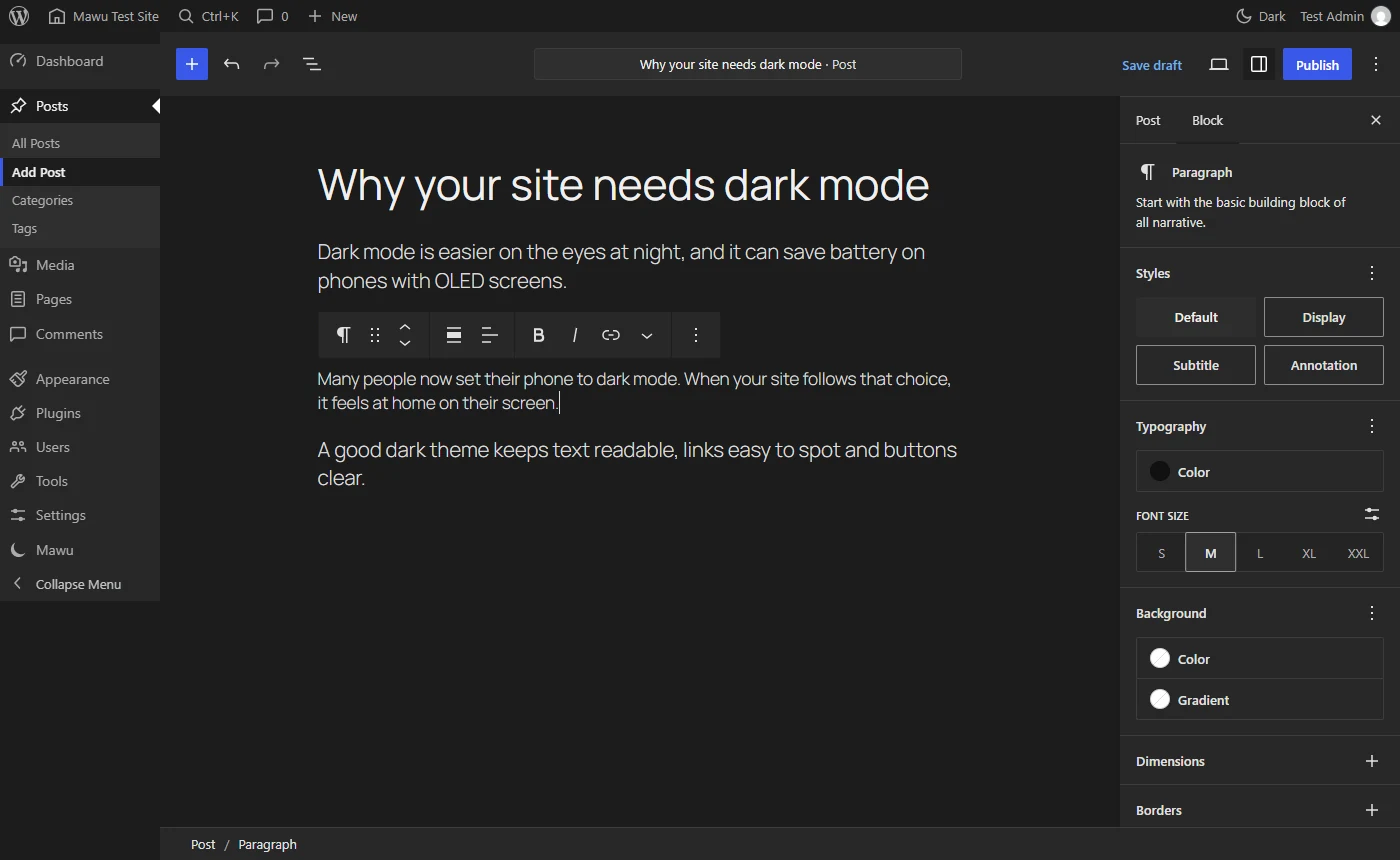
Above is the Graphite theme on WordPress 7.2. The chosen font size, M, sits in a dark box with light text. Before this update, 7.2 drew that box almost white, with the text inside it too pale to read.
The outline fix matters most in themes like Graphite. Its accent is a strong blue that is hard to see on the dark page. So Mawu outlines a selected block in Graphite’s lighter focus colour instead.
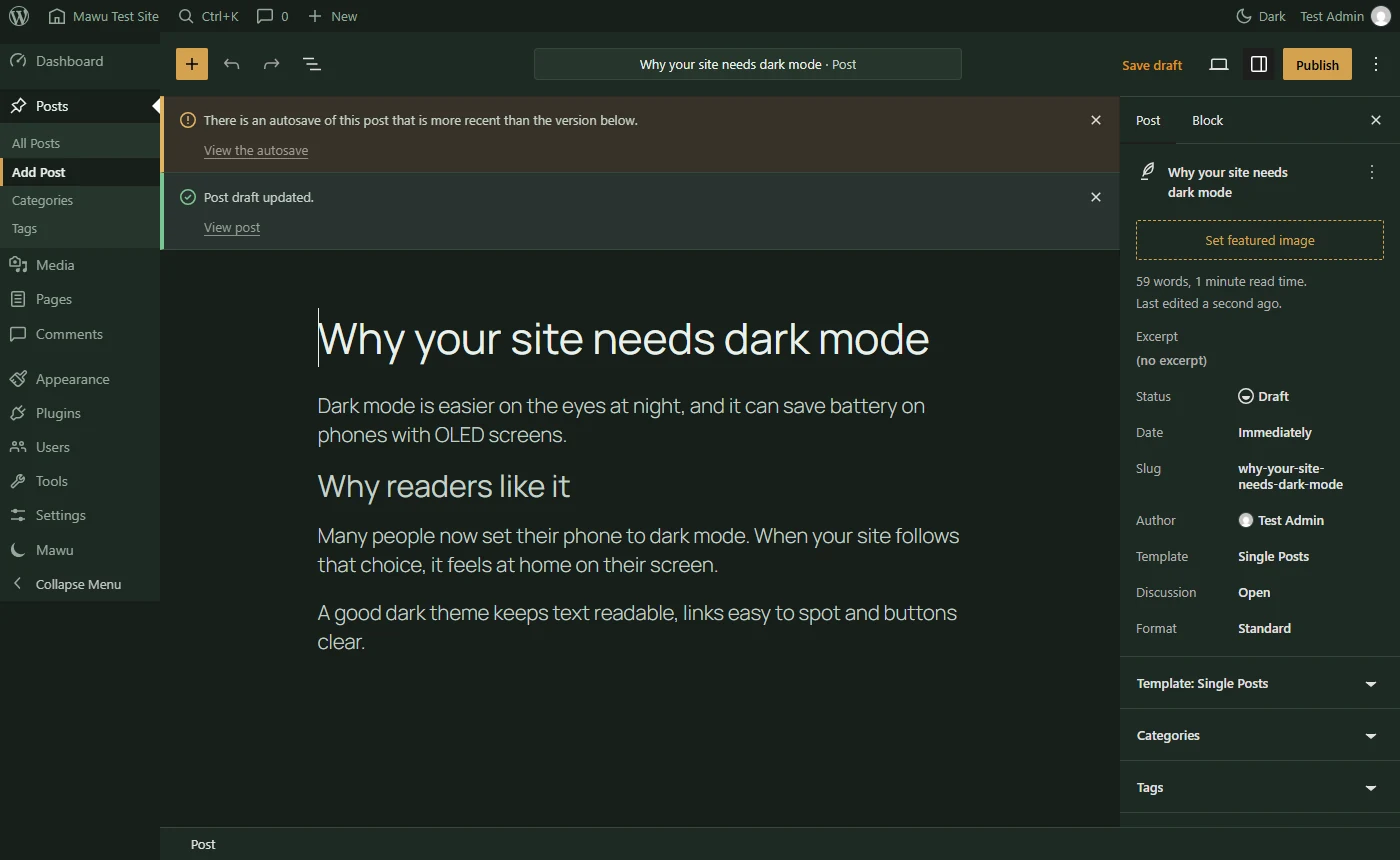
This is the Canopy theme. The autosave warning is amber and the draft note is green, and both sit on a dark background. On 7.2 without this update, they were pale boxes with no coloured edge.
Darker lines in the editor
The block editor draws thin lines between its parts: the sidebar, List View, the inserter and the publish panel. In dark mode those lines used to stay bright. Now they use your theme’s border colour. This fix is for WordPress 7.1 too, not only 7.2.
Toolbar icons that match
The icons in the admin toolbar at the top of the screen now take the same colour as the text next to them. Before, they stayed WordPress grey, and turned blue when you pointed at them.
Small fixes and clearer words
If you are moving from WP Dark Mode, the import preview tells you when WP Dark Mode is still active. That note was crossed out, as if it were a setting Mawu had skipped. It is advice, so it now shows as plain text.
Pro users get one more fix. On WordPress 7.2, the light, dark and auto switch for visitors shows its Auto picture again.
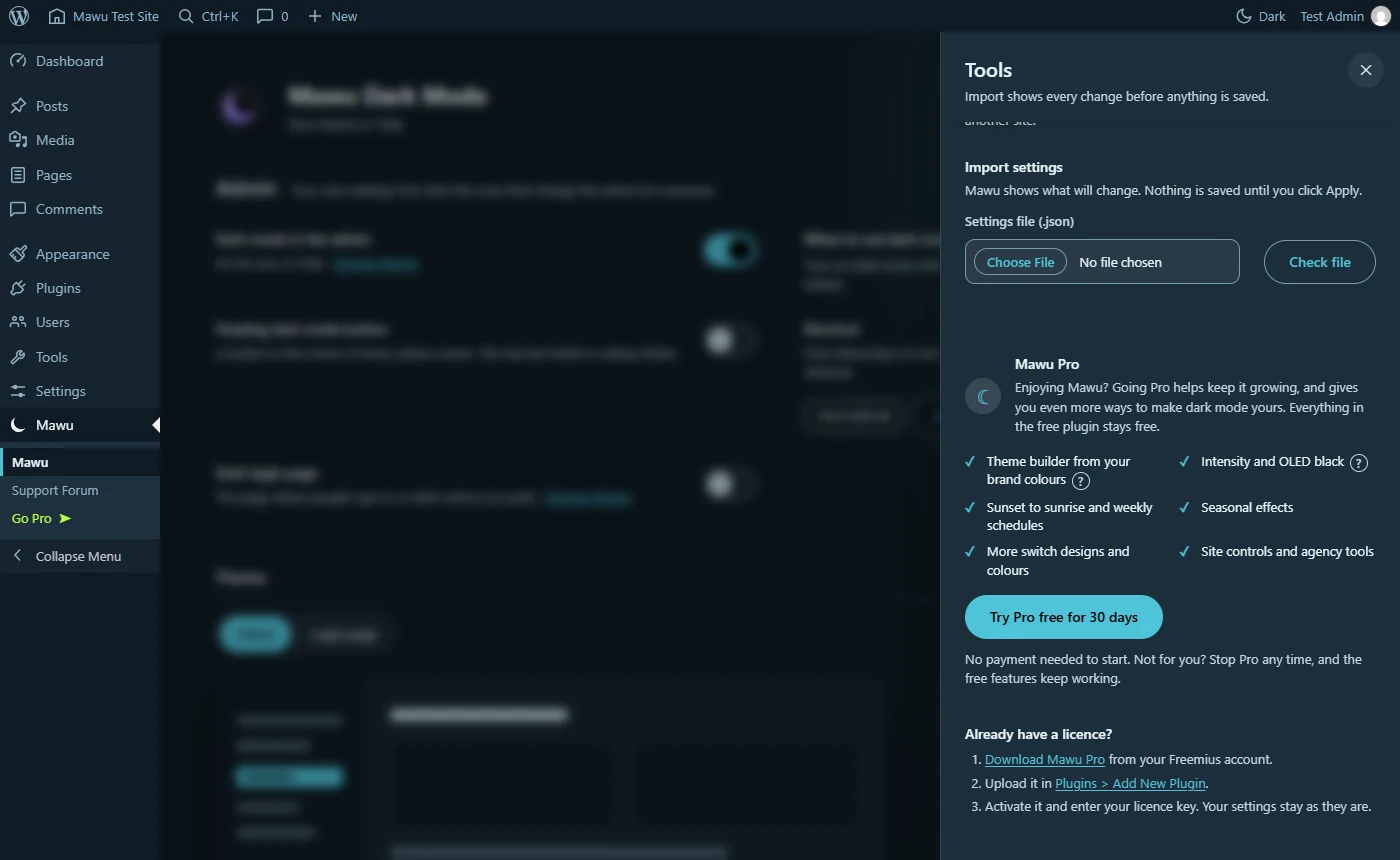
We also rewrote the Mawu Pro box in Tools. It now says what Pro is for: going Pro helps keep Mawu growing and gives you more ways to make dark mode yours. Everything in the free plugin stays free. You can try Pro for 30 days with no payment, and stop any time. In the menu, the Upgrade link is now called Go Pro.
How to update
Go to Plugins → Installed Plugins and update Mawu, or wait for automatic updates. Your theme, schedule and settings stay the same. There is nothing to change after you update.
New to Mawu? It is a free WordPress dark mode plugin for your admin, both editors, the login page and your website. See what Mawu does, or get it from WordPress.org.
Something looks wrong on your site after 7.2? Please open a topic in the support forum. The changelog has the full list of changes.