Ariadne Related Posts Related posts that lower bounce rate and boost SEO.

The free version is also on WordPress.org.

See it in action

Screenshots

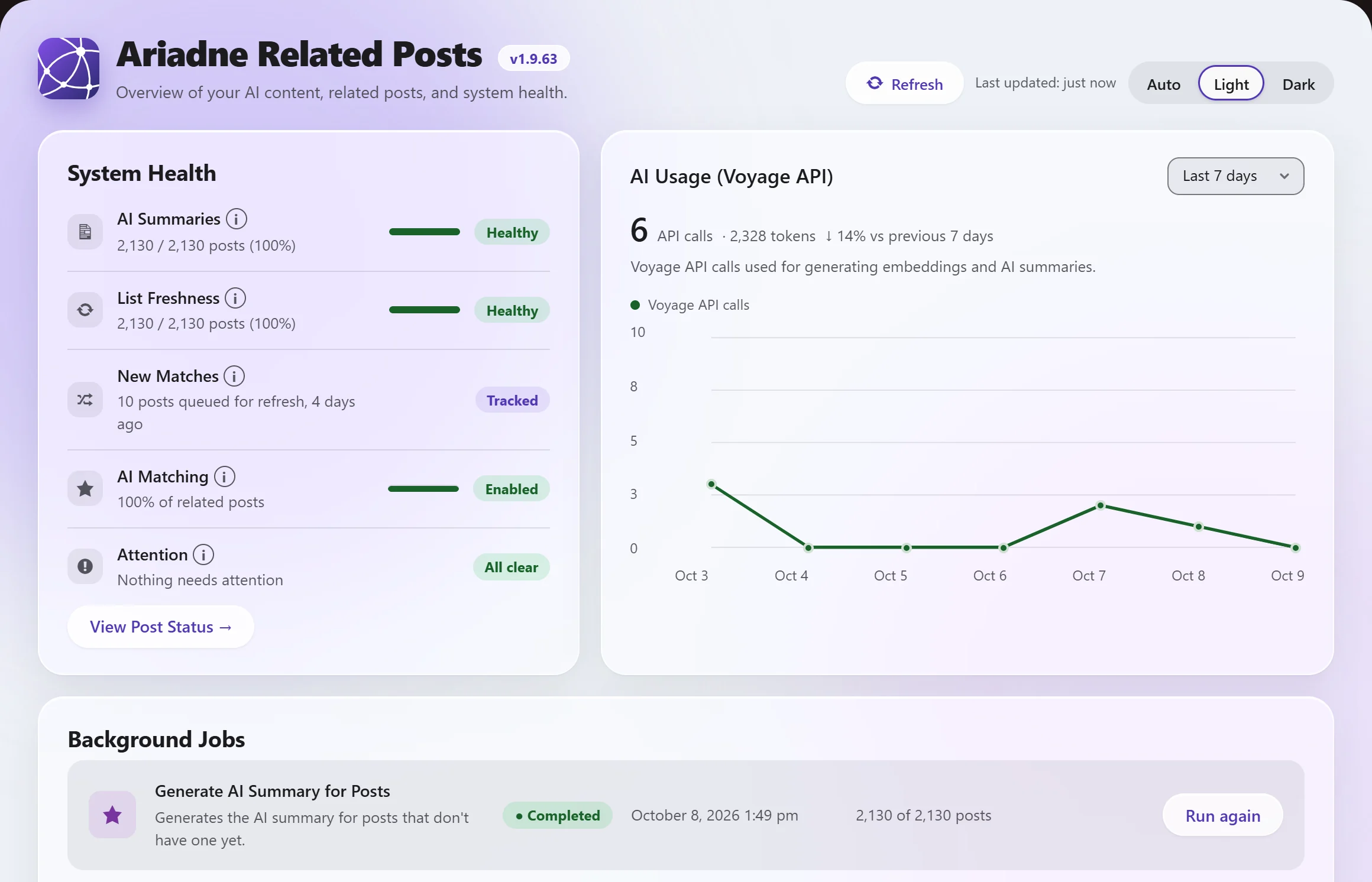
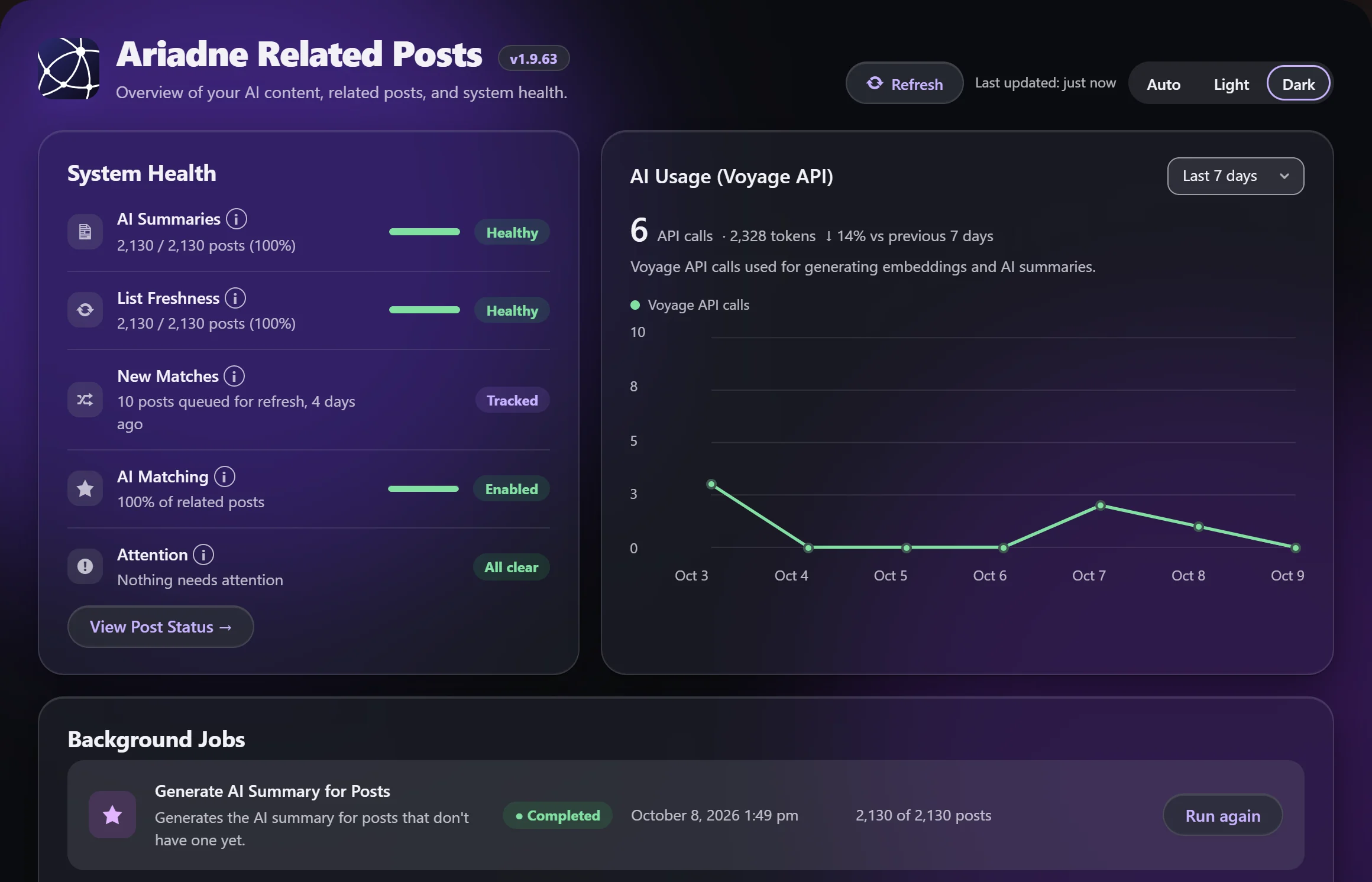
The Ariadne Dashboard in the light glass look, with System Health rows marked Healthy, an AI usage chart for the last 7 days, and the Background Jobs list
System health, AI usage and background jobs at a glance.

Plans

Start free. Add AI matching when you're ready.

Every plan includes automatic matching. Pro and Pro+ add AI and more control over where matches appear.

50% off New customers get 50% off their first payment. Code NEW50 is added for you at checkout.

Free

Forum support

Real related posts, out of the box.

$0
  • Smart content matching
  • Automatically added to your content
  • Shortcode and widget
  • Gutenberg block
  • Built-in caching
Start free

Pro+

Priority email support

Inline related posts cut bounce rate even further.

$8.33/mo, billed annually
($99.99/yr)
$9.99/mo, billed monthly

First year $50.00, then $99.99/yr

First month $5.00, then $9.99/mo

  • Everything in Pro, plus:
  • Related posts woven directly into your articles (inline related posts)
Get Pro+

5 sites: $239.99/yrSave 43%

5 sites: $24.99/moSave 49%

Card required · full refund if you cancel within 30 days

AI matching uses your own Voyage AI account, billed by Voyage, not Uwawp. Every account gets 200 million free tokens, so most sites pay from a fraction of a cent to a few dollars a month. See estimated cost by site size for the full breakdown.

Live demo

See how Ariadne picks related posts

These are real matches from this site's blog, scored by Ariadne. Pick a post to see its top three and what each one shares with it.

Scores and signals come straight from Ariadne on this site. Signal weights here: tags 50, text 35, category 25, title 15.

Everything included

Built to just work, with room to go further.

Easy to set up

Install, activate, done. Free runs entirely on your own server, with no API key or account.

Four ways to place it

Auto-insert after your content, or use a native block, a shortcode, or a widget, whichever suits your theme.

Shows why posts match

Every related post has a match score, and the editor shows exactly what it shares: tags, title, text, or category.

Stays up to date

Related posts refresh on their own when you edit a post or change your rules. Nothing is worked out while visitors wait.

Plays well with ads

Choose whether related posts or another plugin, like your ad plugin, shows first after an article.

Link options

Add nofollow to related-post links or open them in a new tab. Free on every plan.

Accessible and responsive

Sharp, properly sized images, a visible keyboard focus, and clean screen reader output, on any screen size.

WooCommerce ready

Pro brings the same matching to your WooCommerce products.

AI-powered matching

Pro adds AI that matches posts by meaning, even when they share no keywords.

Full style control

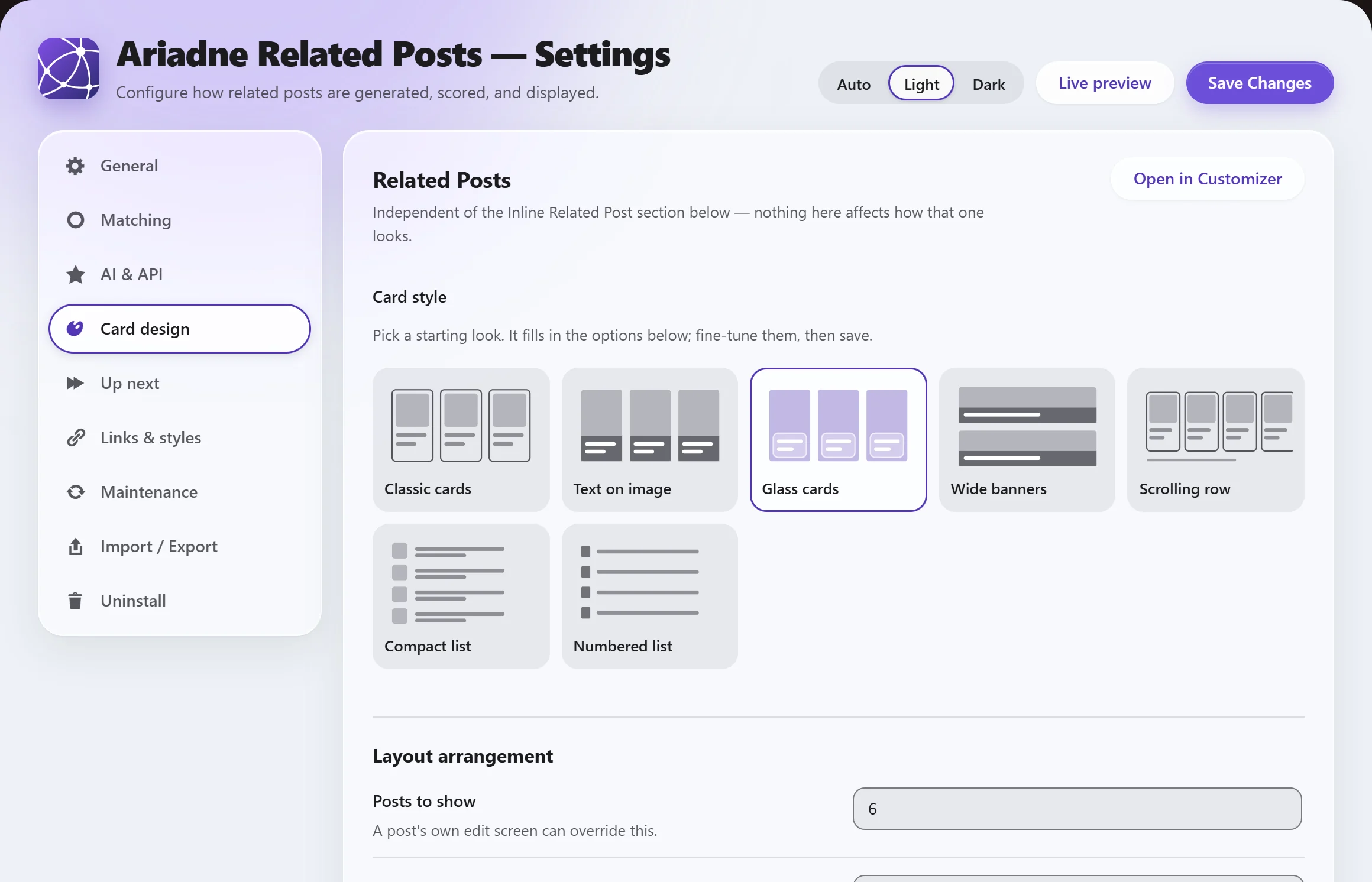
Pro sets layout, fonts, colors, and images in the Customizer. Or turn off the default styles on any plan and use your own CSS.

Inline related posts

Pro+ places related-post cards inside the article, not just at the end. Few related-posts plugins offer this.

Command-line automation

Pro+ adds WP-CLI commands to recompute related posts and check status from scripts or deploys.

Full feature list

Every feature, side by side.

Each plan includes everything in the tier below it.

FeatureFreeProPro+
Matching
Tag + title + local text matching (no AI)✓✓✓
Advanced AI-powered matching (Voyage)✓✓
Category as a scoring signal✓✓✓
Adjustable matching weights✓✓✓
Limit which posts can be suggested (by category or tag)✓✓✓
Never suggest posts by chosen authors✓✓✓
Related posts refresh on their own when you edit a post or change your rules✓✓✓
Background jobs that keep running on their own✓✓✓
Related Products for WooCommerce (and other content types)✓✓
"Generate now" before publishing✓✓
Where it shows up
Auto-insert, shortcode, block, widget✓✓✓
Choose how many related posts show✓✓✓
Choose whether related posts or another plugin (like an ad plugin) shows first after an article✓✓✓
Choose the spot: under the title, under the featured image, or after any paragraph (also waits for your ad slot, on themes that need it)✓✓
Extra shortcode/block parameters: override the heading or count for one specific spot✓✓✓
Repeating boxes placed naturally inside the article✓
Look and feel
Clean default design✓✓✓
Sharp, properly sized images and accessible cards (keyboard focus, screen readers)✓✓✓
Full style control (layout, fonts, colors, borders, images)✓✓
Turn off this plugin's default styles (bring your own via WordPress's built-in Additional CSS)✓✓✓
Link options: add nofollow, or open in a new tab✓✓✓
Link click-tracking (UTM tags)✓✓
Translation-ready✓✓✓
Per-post control
See each post's related list, with scores and why each one matched✓✓✓
Manually pin or exclude specific posts✓✓
Cornerstone Posts (always show as related, sitewide), with a Dashboard report✓✓
Live semantic preview before publishing✓✓
Team & scale
Choose which role can view Dashboard/Post Status reports✓✓✓
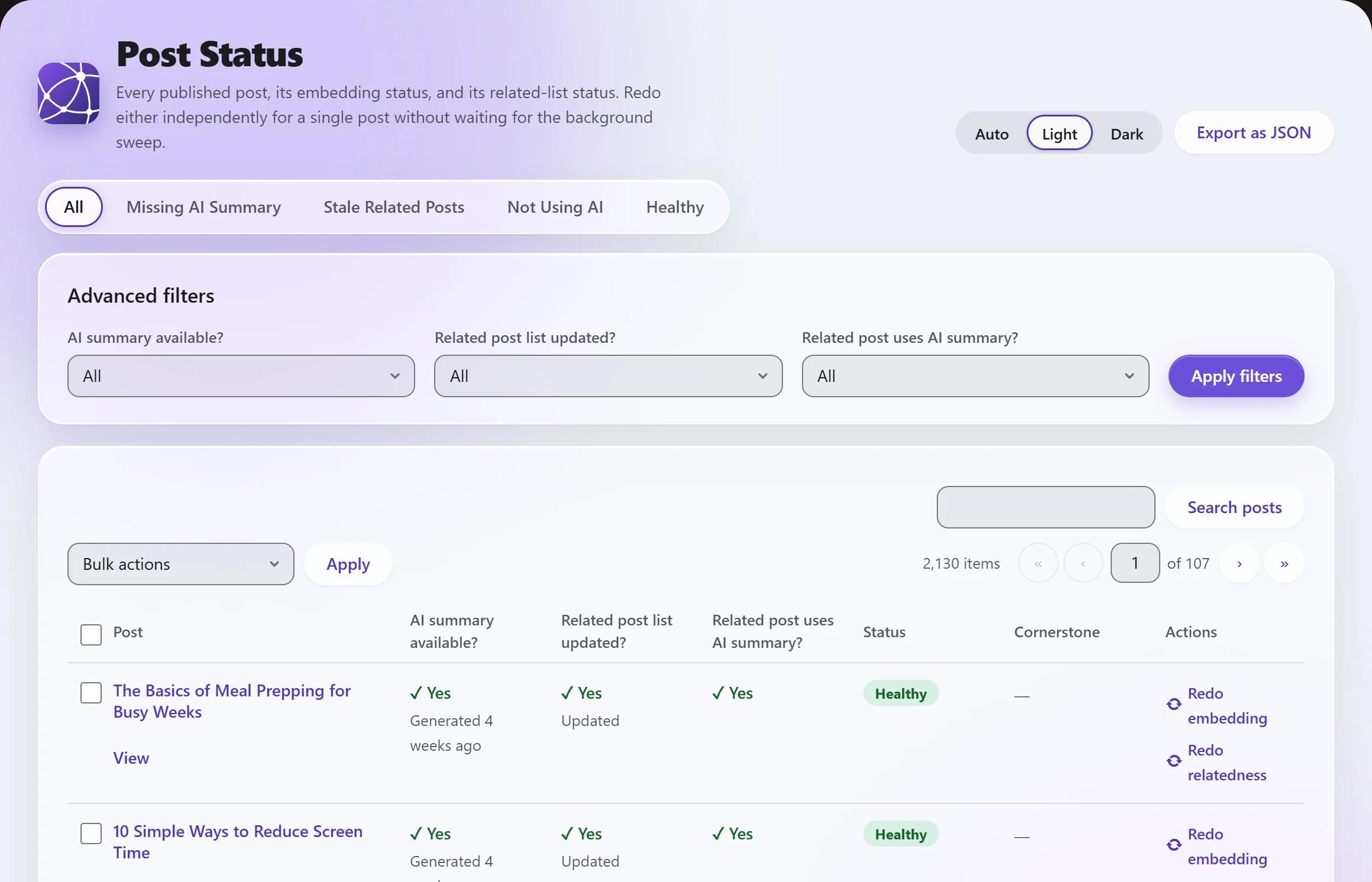
Recompute many posts at once from Post Status✓✓✓
Developer hooks and filters (for example, adjust which posts display)✓✓✓
Export/import settings across sites✓
Command-line automation (WP-CLI)✓
Basics
Dashboard, Settings, Post Status pages✓✓✓
Getting-started checklist and System Health panel✓✓✓
Honest progress/ETA on the Dashboard✓✓✓
Dark mode✓✓✓

Free is complete on its own. AI matching costs money per call, so it's paid. Inline boxes inside articles are the one placement kept for Pro+.

How it stacks up

A quick look against other related-posts plugins.

FeatureAriadneContextual Related PostsYARPPJetpack Related PostsInline Related Posts
AI / semantic matching✓————
Runs on your own server✓✓✓Automattic's servers✓
Shows why each post matched✓————
Shows a match score or percentage✓————
Inline mid-article placement✓———✓
Style customization (colors, layout, templates)✓✓✓Developer filters only✓
WP-CLI automation✓Pro only—General Jetpack CLI only, not Related Posts-specific—
Fast, optimized matching backend included on Free✓Pro only✓N/A, processed off-server—

Questions

Common questions, answered directly.

Does Ariadne slow down my site?

No. Related lists are computed once, when a post is saved, and cached from then on. Nothing is calculated while a visitor is reading your site, even on a fully-cached page. See the full breakdown of how background processing stays bounded.

Do I need an AI API key to use Ariadne?

No. The Free tier matches on tags, titles, categories, and local text with zero external calls. A Voyage AI key is only needed if you want the AI-powered semantic matching, which is a Pro and Pro+ feature. See setting up a Voyage AI key.

What happens if I downgrade from Pro or Pro+?

Nothing is deleted. Custom styling and Pro-only settings revert to the clean default appearance, and the Free-tier signals (tags, titles, text matching) keep working exactly as before. See what happens on downgrade for the full picture.

Does Ariadne work with WooCommerce?

Yes, Related Products for WooCommerce shows related items on your product pages using the same matching engine, not a separate add-on. It's included on Pro and Pro+.

Is there a free trial for Pro?

Not a free trial — your card is charged in full when you sign up. But you get a full refund if you cancel within 30 days, no questions asked.

Can I try it before installing it on my own site?

Yes, the "Try it live" demo above runs a real copy of Ariadne entirely in your browser via WordPress Playground, with no install and no account needed.

What data actually leaves my server?

Only if AI matching is turned on: your post content is sent to Voyage AI, using your own Voyage account, to generate the semantic signal. Every other signal (tags, titles, categories, local text matching) is computed entirely on your own server and never sent anywhere. See the full privacy and external services breakdown.

From the blog

Guides on related posts

All posts
Research September 3, 2026 · 6 min read

Why Related Posts Reduce Bounce Rate (With Real Data)

Bounce rate means something different in GA4 than it used to, and Google has said repeatedly it is not a ranking factor. Here is the real, sourced case for why related posts still matter: a genuine behavioral effect, not an SEO trick.