Clicking around wp-admin works fine for one site with a handful of posts. It stops working the moment you’re running a deployment pipeline, migrating a client’s archive, or managing the same plugin across a dozen sites. Ariadne’s WP-CLI support exists specifically for that gap, and it’s deliberately a Pro+ feature rather than Pro, since it’s a developer and agency tool, not a single-site editorial one.
The command itself
wp ariadne recompute [--post_id=<id>] [--embeddings-only] [--relatedness-only] [--yes]Run without any flags, it recomputes across your whole site: BM25 indexing, tag/title/category scoring, and, if you have AI matching configured, semantic embeddings. Four flags narrow that down:
--post_id=<id>limits the recompute to a single post instead of your entire archive.--embeddings-onlyregenerates just the AI semantic-matching signal, skipping the related-list recalculation.--relatedness-onlydoes the opposite: recomputes the related list only, without touching embeddings.--yesskips the confirmation prompt, which is the flag you actually need for CI pipelines and cron jobs, since anything that asks for interactive confirmation just hangs a non-interactive script.
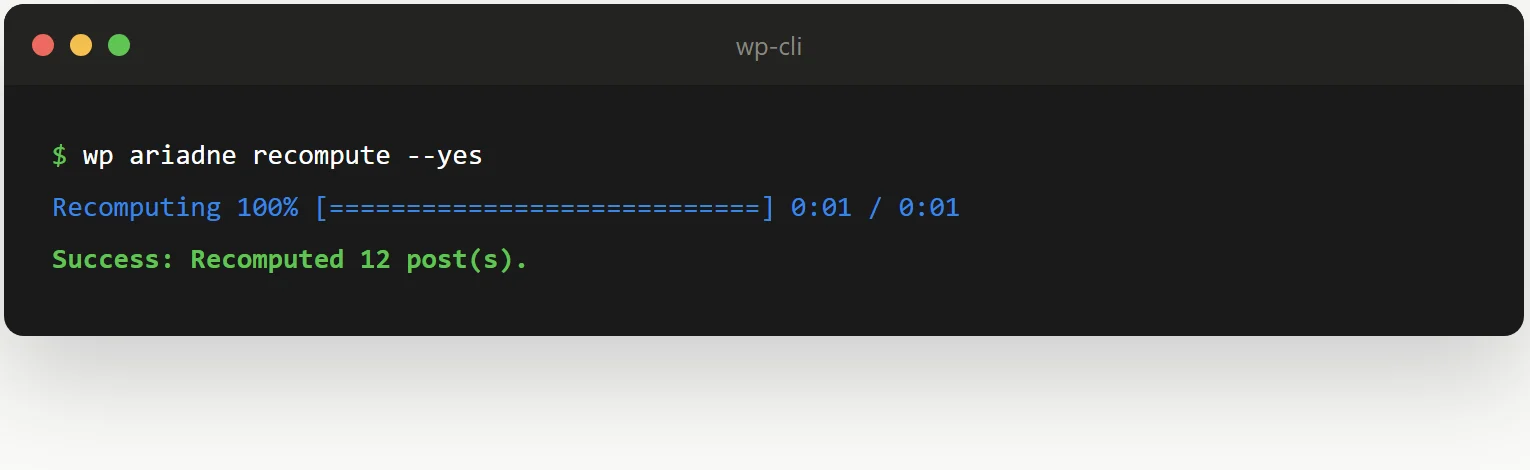
Here’s what a real run looks like, catching up a batch of posts that had fallen behind:
After a bulk import
A bulk import doesn’t route through the normal save flow the same way a manual edit or Publish click does, so imported posts can sit without an embedding or a computed related list until something else triggers it. Running a full recompute right after an import closes that gap in one command, rather than opening and re-saving hundreds of imported posts by hand just to trigger the save hooks:
wp ariadne recompute --yesAfter a fresh install on an existing site
Installing Ariadne on a site that already has years of content means the background sweep has an entire archive to work through on its own schedule, oldest and highest-priority posts first. That’s fine to just let run, but if you’re standing up a new site as part of a deployment and want related posts working the moment the deploy finishes rather than trickling in over the following hours, trigger it directly instead of waiting:
wp ariadne recompute --relatedness-only --yesScoping to --relatedness-only here is deliberate: local tag, title, and category matching is instant, so there’s no reason to make a deploy script wait on embedding generation (which depends on an external API call) just to get non-AI related lists populated immediately. The embeddings backfill can still run in the background afterward at its normal pace.
Scheduled maintenance on your own cron, not WordPress’s
Ariadne’s own background jobs already self-chain and don’t depend on visitor traffic to advance. But if you’d rather rely on your server’s real system cron for a specific site instead of WordPress’s own background job mechanism, perhaps because you already centralize scheduled tasks that way across your infrastructure, this command is exactly what a cron entry would call:
0 3 * * * cd /path/to/site && wp ariadne recompute --yes --quietWiring it into a CI pipeline reliably
Like any WP-CLI command, wp ariadne recompute follows the standard convention of a non-zero exit code on failure, which is what actually makes it safe to chain in a deployment script. A pattern worth using directly in a pipeline step:
wp ariadne recompute --yes || exit 1That way a failed recompute, a missing database connection during a deploy, a misconfigured API key, actually fails the pipeline instead of silently continuing as if everything worked. Combine it with --quiet if you only want the command’s output showing up in your logs when something actually goes wrong.
Exporting and importing settings across sites
Also gated to Pro+, and worth knowing about alongside the CLI command even though it’s a Settings-screen feature, not a CLI one: exporting your full configuration, matching weights, Customizer styling, placement rules, and importing it on another site. For an agency rolling out an identical Ariadne setup across several client sites, this plus wp ariadne recompute covers both halves of the problem: getting the configuration right everywhere, and getting the actual related-post data computed everywhere, without touching wp-admin on each site individually.
See the full WP-CLI automation documentation for the flag reference, or our hooks and filters guide if what you need is PHP-level control rather than a command-line one.