Ariadne’s Settings screen covers what most sites need. It doesn’t try to cover the theme-specific edge case, the conditional logic, or the one integration your agency’s client actually needs. For that, there’s a small, deliberately narrow set of PHP filters. This is a straight walkthrough of what exists, what each one is actually for, and how to find the values you need to plug into them.
ariadne_related_content_hook: pointing Ariadne at your theme’s own ad slot
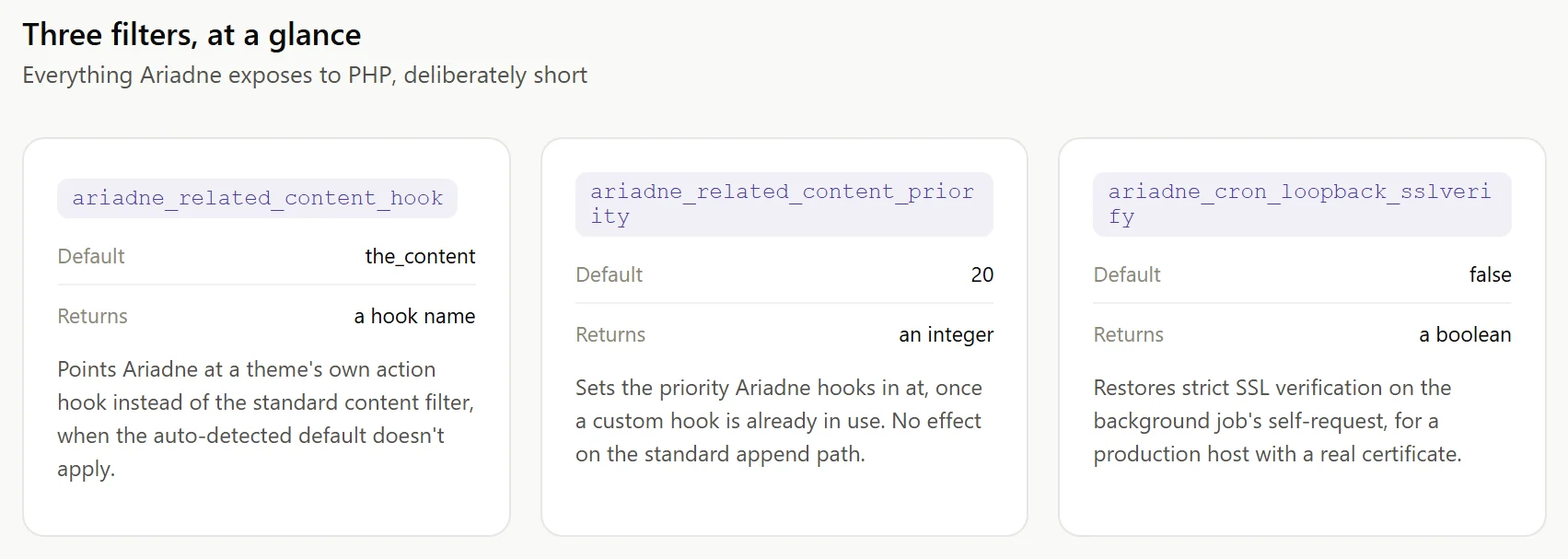
Some themes render extra content, typically an ad unit, immediately after the article using their own action hook rather than the standard the_content filter. When “Position vs. theme ad slots” is turned on and your theme isn’t SmartMag or Bunyad (the one theme Ariadne auto-detects out of the box), this filter is how you tell it which hook to defer to instead:
add_filter( 'ariadne_related_content_hook', function() {
    return 'your_theme_after_content_hook';
} );
Most sites don’t need this filter directly. The plain-text “Custom ad-hook name” field on the Settings screen covers the same use case for a fixed value. Reach for the filter instead when the hook name needs to be conditional in code, different per post type, different for a multisite subsite, whatever a static settings field can’t express.
Finding the right hook name to return is usually the actual work here, not the filter itself. If your theme’s documentation doesn’t spell it out, a query-profiling plugin like Query Monitor will list every action hook that fires on a given page load, in order, which makes it straightforward to spot the one firing right after your theme’s ad unit or “read next” block. Once you have that hook name, the filter above is a two-line change.
ariadne_related_content_priority: controlling exactly when Ariadne fires
Once Ariadne knows which hook to use, this filter sets the priority it hooks in at, defaulting to 20:
add_filter( 'ariadne_related_content_priority', function() {
    return 5;
} );
Lower the number if your theme’s own ad output needs to run even later than Ariadne’s default priority allows. This only matters once you’re already using ariadne_related_content_hook, either via the filter or the Settings field; it has no effect on the standard the_content append path.
ariadne_cron_loopback_sslverify: local development and self-signed certificates
Ariadne’s background jobs keep processing without waiting on real site traffic by firing a non-blocking request back to the plugin’s own REST endpoint. That internal request skips strict SSL certificate verification by default, since local development environments commonly run on a self-signed certificate that would otherwise fail verification and break the self-chaining mechanism entirely. On a production host with a real, CA-signed certificate, restore strict verification:
add_filter( 'ariadne_cron_loopback_sslverify', '__return_true' );There’s no meaningful downside to setting this on production. The default of false exists specifically so local development doesn’t break, not because strict verification is undesirable once you have a real certificate.
Timing: when to actually register these filters
All three read their value when Ariadne needs it, on the relevant request, not at plugin load time, so a plain add_filter() call in your theme’s functions.php or a small must-use plugin works without needing to worry about load order against Ariadne itself. If you’re setting the value conditionally, based on the current post type or a multisite subsite check, put that logic inside the callback rather than trying to resolve it once at file-load time, since conditional tags like get_post_type() depend on query context that isn’t fully resolved that early in the request.
What isn’t here, and why
Three filters is a short list on purpose. Ariadne’s actual position, placement, and matching-weight controls live in Settings and the Customizer because most of what a site owner needs to configure doesn’t require touching PHP at all. These three exist for the genuine remainder: a non-standard theme hook, a load-order conflict, and a local-dev SSL quirk. If you’re building an integration that needs something none of these three cover, that’s worth raising directly rather than working around it with a custom fork.
See the hooks and filters reference documentation for the three officially documented filters, or our WP-CLI automation guide if what you actually need is scriptable command-line control rather than PHP-level hooks.
Related Posts
- Why Doesn’t WordPress Dark Mode Cover the Block Editor?
- Inline vs. End-of-Post: Where Should Related Posts Actually Go?
- Related Posts and WooCommerce: Showing Products Related to Blog Content
- Six Dark Themes, One WCAG Audit: What Actually Failed
- How to Set Up Ariadne With a Voyage AI API Key (and Customize How It Looks)