What Is Negative SEO? How to Spot and Stop an Attack on WordPress
Negative SEO is when someone tries to hurt your Google rankings on purpose. Learn the common attacks, real examples, how to spot one on WordPress, and when disavowing actually helps.
Spurn collects spam domains and links from any backlink export. You review them, keep them as dated sets, and export a file in Google's format.
See it in action
How it works
Spurn lives under Tools → Spurn. Only admins can open it.
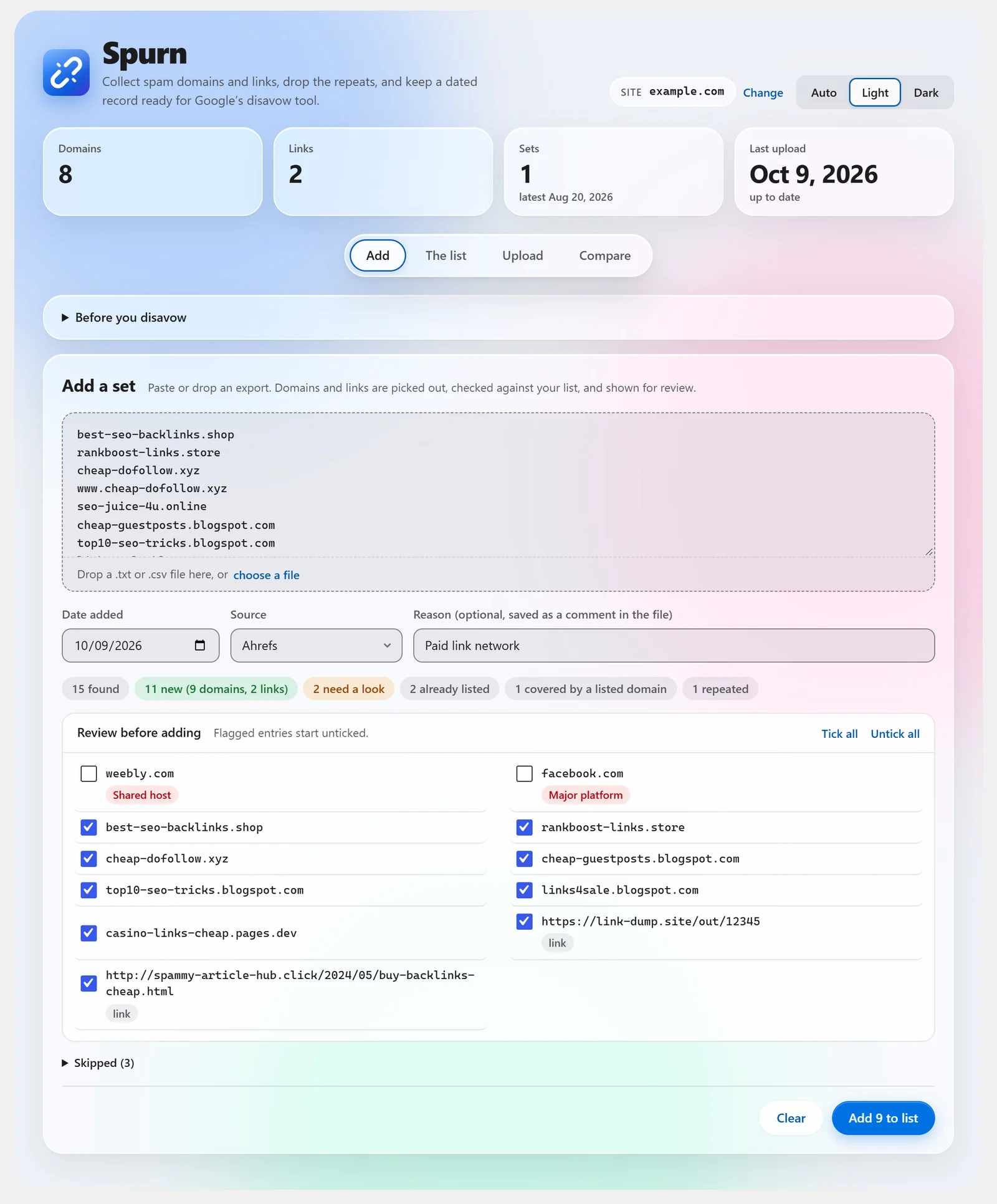
Paste a list or drop a .txt, .csv or .tsv file. Spurn picks out the domains and links.
Repeats are dropped. New entries show with tick boxes. Risky ones start unticked.
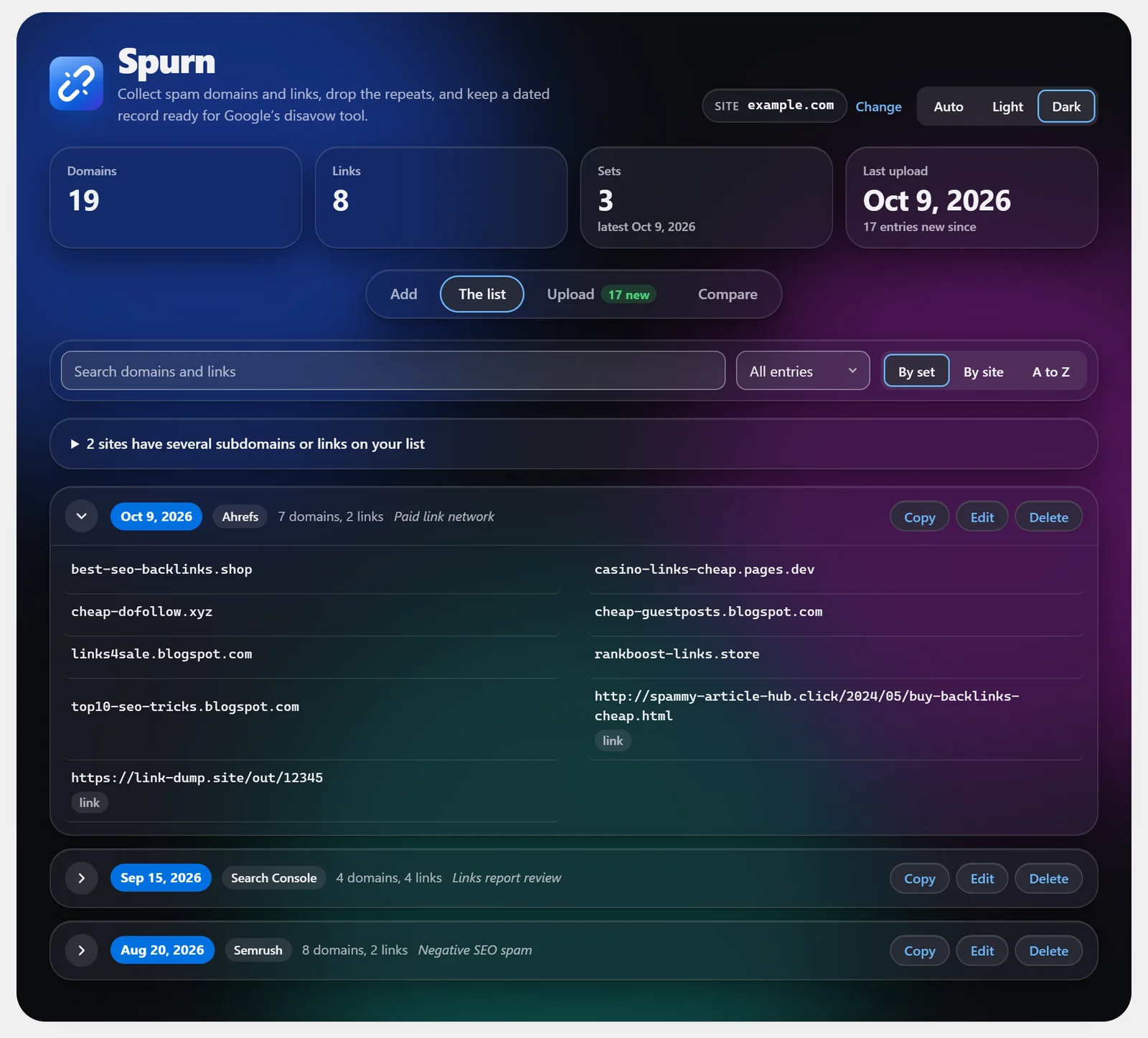
Each batch is saved with the date, its source, and a reason if you add one.
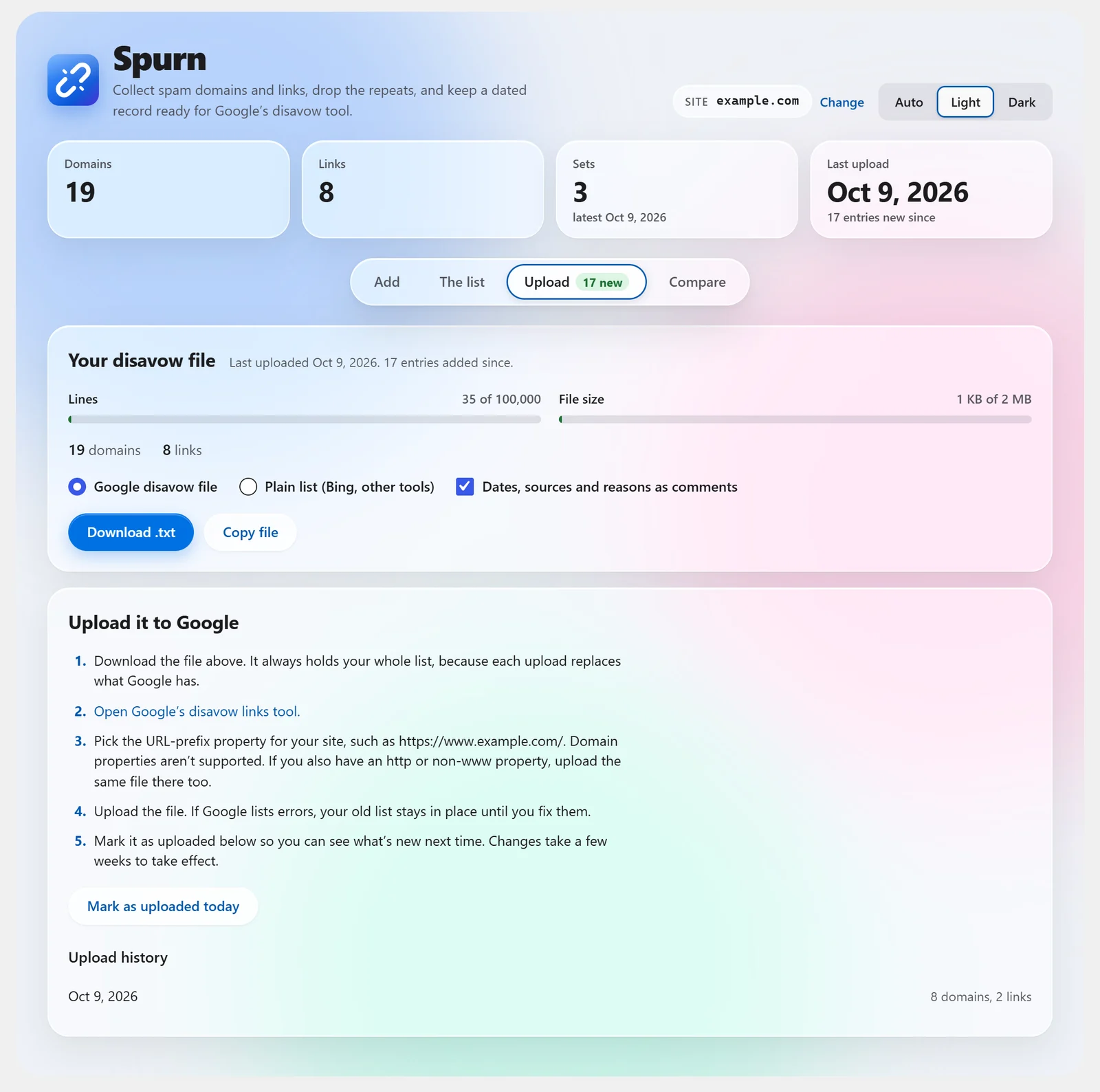
Download a disavow file in Google's format. Meters show it against Google's limits.
Upload it in Google's disavow links tool, then mark the upload in Spurn.
What it does
Plain lists, Ahrefs and Semrush exports, CSVs and old disavow files. UTF-16 files, smart quotes, bullets and links like example[.]com work too.
Anything already on your list is skipped. So is a subdomain or link that a listed domain already covers.
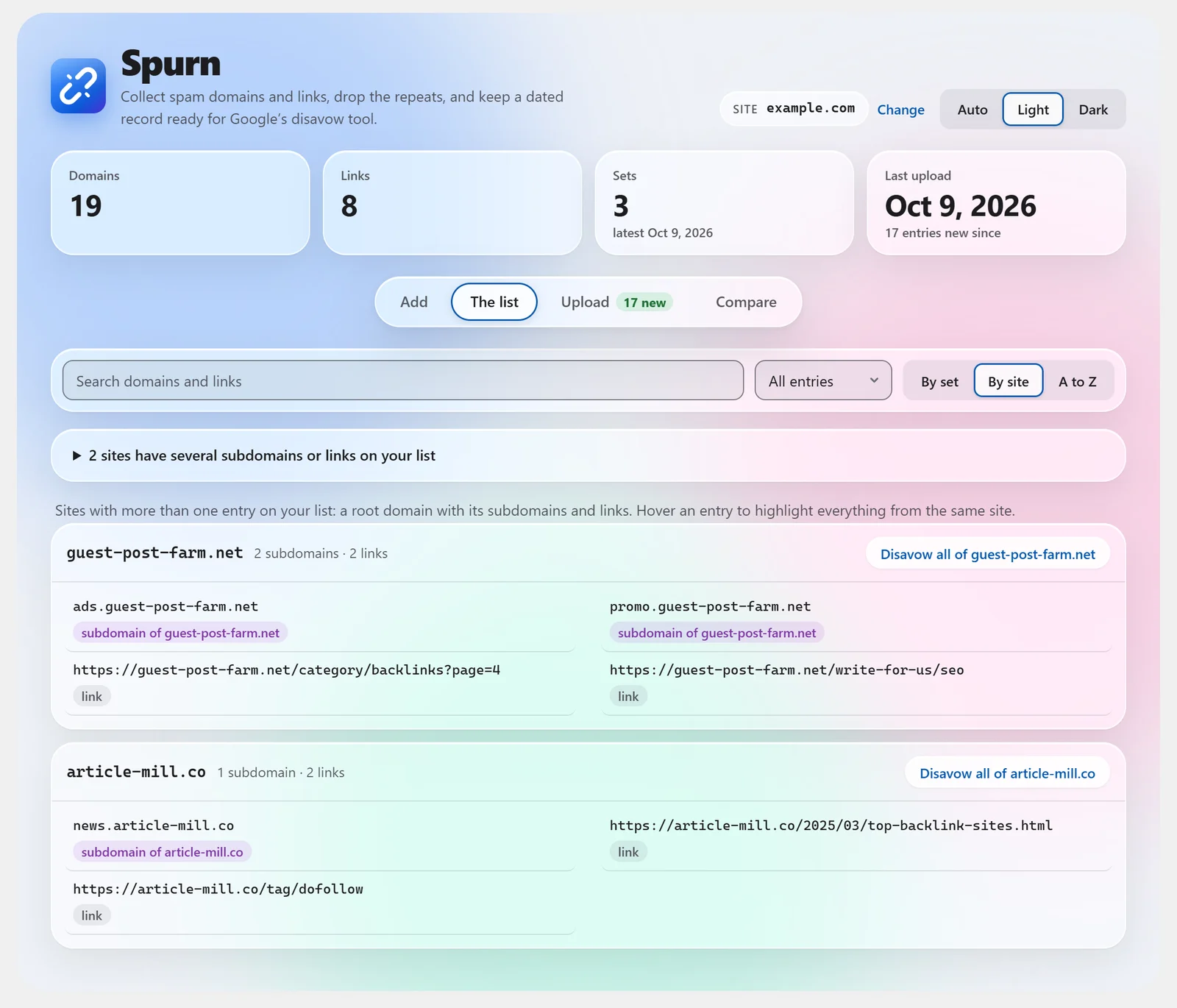
It uses the Public Suffix List. A shared host like blogspot.com or pages.dev never hides the separate sites on it.
Shared hosts, your own site, big platforms, unknown endings and very long links start unticked. You decide.
Every batch keeps its date, source and reason. Edit, copy or delete a set. Removals and deletions can be undone.
One click builds the disavow file, with optional comments per set. A plain list is there for Bing and other tools.
Mark each upload to Google. Spurn shows what you've added since the last one.
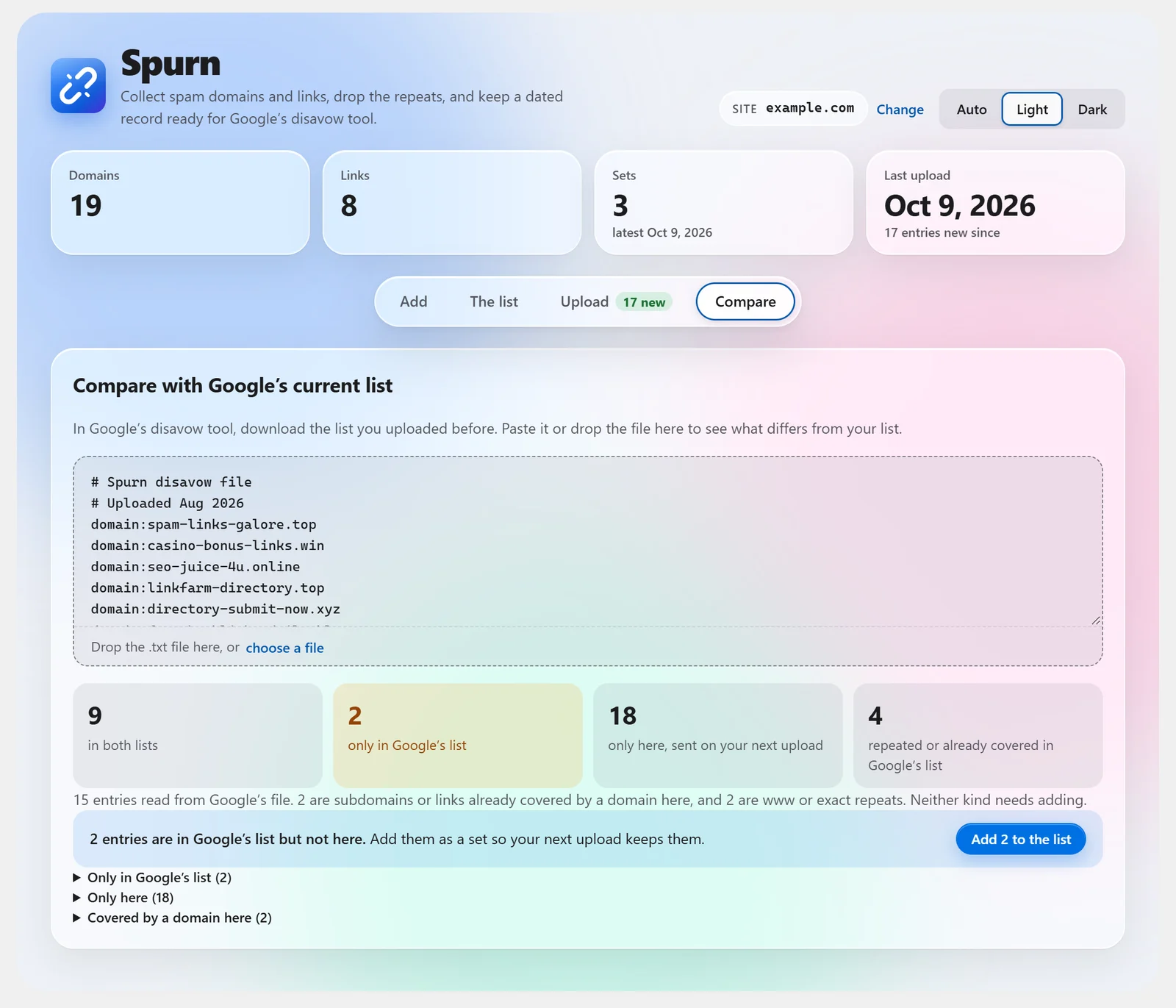
Paste the file Google already has. See what's missing on either side and import the difference in one click.
Tested with 105,000 entries. It saves in small batches and adds nothing to your site's public pages.
Who it's for
Google says most sites don't need the disavow tool. Google can usually tell which links to trust without help. Used the wrong way, disavowing can hurt how your site does in Google Search.
Google's advice is to disavow only when you have many spammy or paid links to your site, and they caused a manual action or likely will. Review every entry first. That is why Spurn has a review step and starts risky entries unticked.
Questions
No. Google doesn't offer an API for disavow files. Spurn builds the file, and you upload it in Google's disavow links tool. The Upload tab walks you through it.
No. All processing happens in your browser and your WordPress database. There's no account and nothing is sent to outside services.
Plain lists, Ahrefs and Semrush exports, Search Console link exports, CSV and TSV files, and existing disavow files. Paste the text or drop a .txt, .csv or .tsv file. UTF-8 and UTF-16 both work.
Google's documentation doesn't say that http and https versions of a link are the same. So Spurn keeps them as separate entries to be safe. Disavowing the whole domain covers both.
It was tested with 105,000 entries. Google's own limits are 100,000 lines and 2 MB per file, and Spurn shows meters for both before you download.
Yes. The "Try it live" button above opens a real copy of Spurn in your browser through WordPress Playground, with a small sample list already added. There is nothing to install and no account to make.
Deleting Spurn from the Plugins screen removes its database tables and settings.
Get Spurn
Get it from the WordPress.org plugin directory, or search for Spurn under Plugins → Add New Plugin in your dashboard.
From the blog
Negative SEO is when someone tries to hurt your Google rankings on purpose. Learn the common attacks, real examples, how to spot one on WordPress, and when disavowing actually helps.
Spurn is a free WordPress plugin that keeps a dated record of every domain and link you disavow, flags risky entries before they reach Google, and exports a clean disavow file.